OpenClaw for Business: A Simple, Enterprise-Ready Alternative
 Justin Canetti7 min read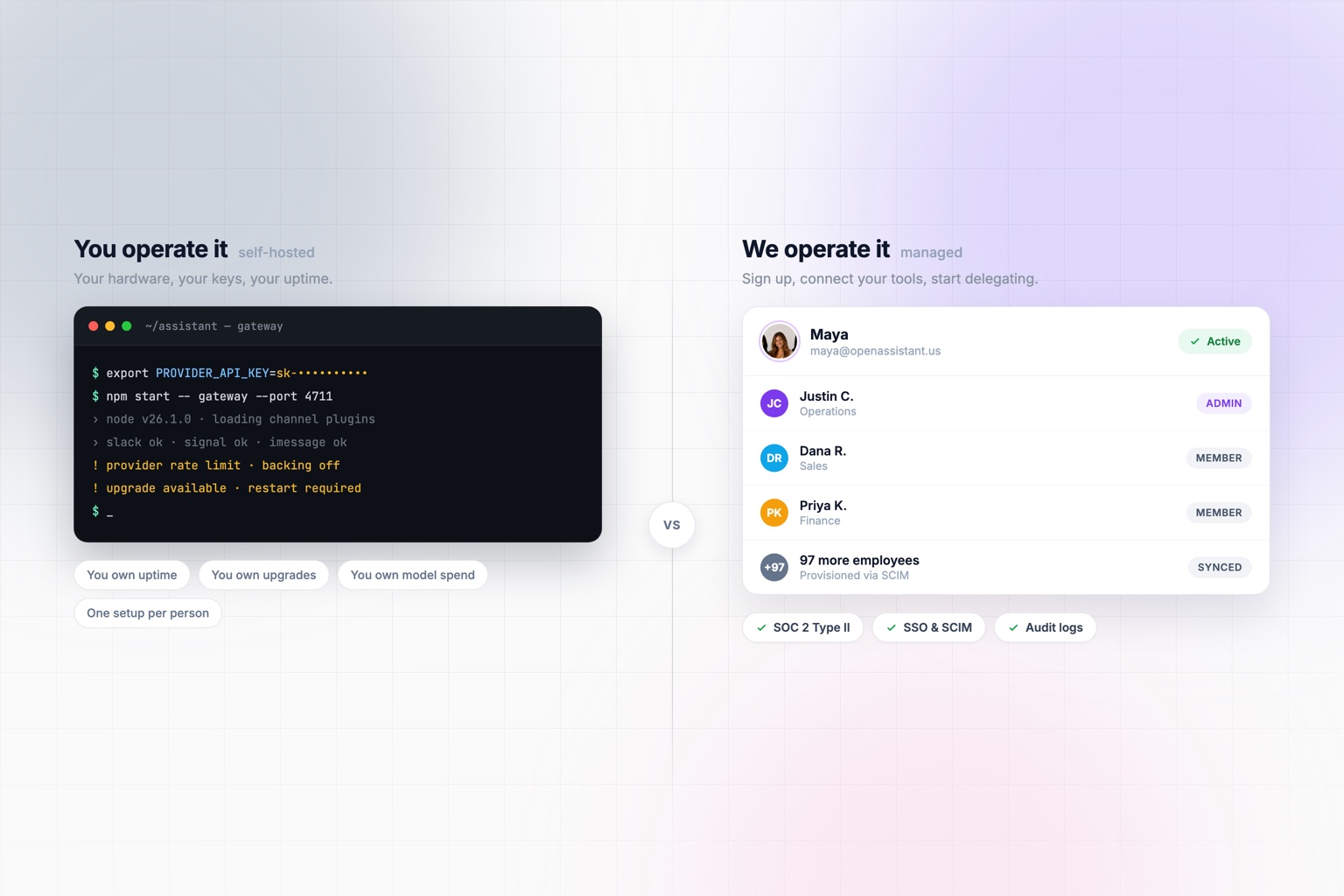
OpenClaw has earned its attention. It showed a lot of people what a personal AI assistant can be once you give it access to your tools, your communication channels, and the ability to actually take action.
It is open source, MIT licensed, developed in the open by a non-profit foundation, and genuinely impressive. If you are technical, running your own AI assistant is a great weekend.
But there is a difference between building an AI assistant and having one.
OpenClaw is a personal assistant you host and operate. That is not a limitation, it is the design: your hardware, your rules, your model, your configuration. For a developer or power user, that is exactly right.
It is a different job than handing an assistant to 200 employees who will never open a terminal.
If what you want is an assistant that works across your tools, communicates with real people, and gets things done on its own — without deploying software, holding API keys, or maintaining agent infrastructure — that is what OpenAssistant is for.
OpenClaw vs. OpenAssistant at a Glance
| OpenClaw | OpenAssistant | |
|---|---|---|
| What it is | Open-source, self-hosted personal assistant (MIT, OpenClaw Foundation) | A managed assistant you sign up for |
| Setup | Node runtime plus a model provider API key, via script, npm, Docker, or Nix | Sign up and connect your work tools |
| Who operates it | You do | Fully managed (private deployment available on Enterprise) |
| Model choice | Bring any provider, hosted or local | Managed for you |
| Where your data lives | Your hardware, your rules | Our cloud, under SOC 2 Type II and GDPR |
| Per-seat cost | None — you pay for model usage | Paid plans per seat |
| Chat channels | Broad: Slack, Teams, WhatsApp, Telegram, Signal, iMessage, Discord, Matrix, and more | Email, Slack, text, and web |
| Its own email address and phone number | Not part of the design | Yes — so it can contact people directly |
| Coordinating with people who aren't users | You relay the messages | Handles the exchange itself |
| Recurring workflows | Configure and maintain your own | Describe them in plain English |
| Rolling out to a company | Per-person setup, no central admin plane | Team and organization administration |
| Identity and access | Your responsibility | SSO, SCIM, and RBAC on Team plans |
| Audit logs and data retention | Your responsibility | Configurable on Enterprise |
| Support | Community and self-service, as an open-source non-profit | Business and enterprise support |
OpenClaw details reflect its public documentation as of August 2026.
The summary version:
OpenClaw gives you the tools to build and operate your own AI assistant. OpenAssistant gives you the assistant.
No Server. No Command Line. No API Keys.
OpenClaw's flexibility comes from the fact that you control the stack. You pick the model, configure the tools, connect the channels, run the Gateway, and decide how it all fits together. Nothing about that is unreasonable — it is the whole appeal.
It does mean somebody owns it. Somebody keeps the process running, applies upgrades, rotates keys, watches model spend, and answers for it when it stops working at 6am.
OpenAssistant moves that job to us. You sign up, connect your work tools, and start delegating. No runtime to install, no Gateway to keep alive, no provider account to fund, no infrastructure to inherit.
Your employees never have to understand how AI agents work. They only have to know how to give someone a task.
What You Actually Delegate
Because it is managed, the assistant can hold things a personal setup usually cannot: its own email address and phone number, a standing connection to your calendar and inbox, and permission to act while you are asleep.
It works in the channels you already use. Email it, message it in Slack, text it from your phone, or talk to it on the web. You stop making trips to a tool and it becomes another participant in the work.
It can talk to other people. This is the biggest practical gap between a chatbot and an assistant. Ask it to get a signed renewal from your vendor at Northwind, and it emails the right contact, chases the reply, loops in legal when the redlines come back, and tells you when it is done. The other person does not need an OpenAssistant account, a login, or any idea that they are corresponding with an assistant.
It starts work without being asked. You can describe a standing responsibility in plain English and hand it over: every Friday, find any commitment I made this week that still needs a follow-up. The morning of a renewal date, brief me on the account and flag anything unresolved. When a candidate has been waiting on us more than three days, nudge the hiring manager. You say it once, and it keeps happening.
It already has the context. Connected to your calendar, inbox, files, and business systems, it does not need a briefing packet every time. "Prep me for the Northwind call" is enough — and with a workflow, you do not even have to say that much.
We wrote about this shift in more depth in How Businesses Can Use AI Beyond ChatGPT in 2026.
From One Person's Setup to a Company's
This is where the two products stop overlapping.
OpenClaw is built as a personal assistant. Each person installs it, holds their own keys, and runs their own instance. That works beautifully for one technical person. It does not give an IT team a way to see who has access, revoke it on someone's last day, enforce a retention policy, or answer a security questionnaire.
Those are not gaps in OpenClaw. They are simply not what a personal, self-hosted assistant is for.
Deploying assistants across an organization is a different problem, and it is the one OpenAssistant is built around:
- SOC 2 Type II, audited annually by an independent CPA firm, and GDPR compliance
- SSO, SCIM, and RBAC on Team plans, so access follows your identity provider
- Centralized team and organization administration, including multi-team orgs
- Audit logs and configurable data retention on Enterprise
- Private deployments, custom integrations, and a dedicated account team on Enterprise
- Onboarding and implementation support, so a rollout is not a self-serve project
Rather than building an internal platform around autonomous AI, you can deploy one. Details are on our Trust Center.
Who Should Use OpenClaw?
If you are technical, want to self-host, like choosing your own models, care about keeping state on your own hardware, and enjoy tuning how your assistant behaves, OpenClaw is a great answer. You will also pay nothing per seat, which matters if you are one person.
That freedom is a feature. For a lot of people, it is the entire point. It is also open source and non-profit backed, which means you can read exactly what it does and change it.
Who Should Use OpenAssistant?
OpenAssistant makes more sense if your reaction to OpenClaw was:
This is amazing. I just don't want to be the one running it.
It is for individuals and companies that want an assistant doing real work without signing up for an infrastructure project. Connect your tools, tell it what you need, give it ongoing responsibilities, and get back to everything else.
And if you are somewhere in between, those are not mutually exclusive. Plenty of teams have one engineer happily running their own setup while the rest of the company uses something managed.
An OpenClaw Alternative Built for Work
OpenClaw helped make the case that the future of AI is not another chatbot in another browser tab. We agree with that completely.
An assistant should know your context, use your tools, reach you in the channels where you already work, coordinate with other people, and keep going when you are not prompting it.
OpenAssistant gives you that without asking you to build and maintain it.
OpenClaw is for people who want to build their AI assistant. OpenAssistant is for people who want their AI assistant to get to work.
An autonomous assistant, without the infrastructure
Connect your tools, hand over the recurring work, and let your assistant coordinate with the people around you.