Best AI Chief of Staff Tools in 2026
 Justin Canetti11 min read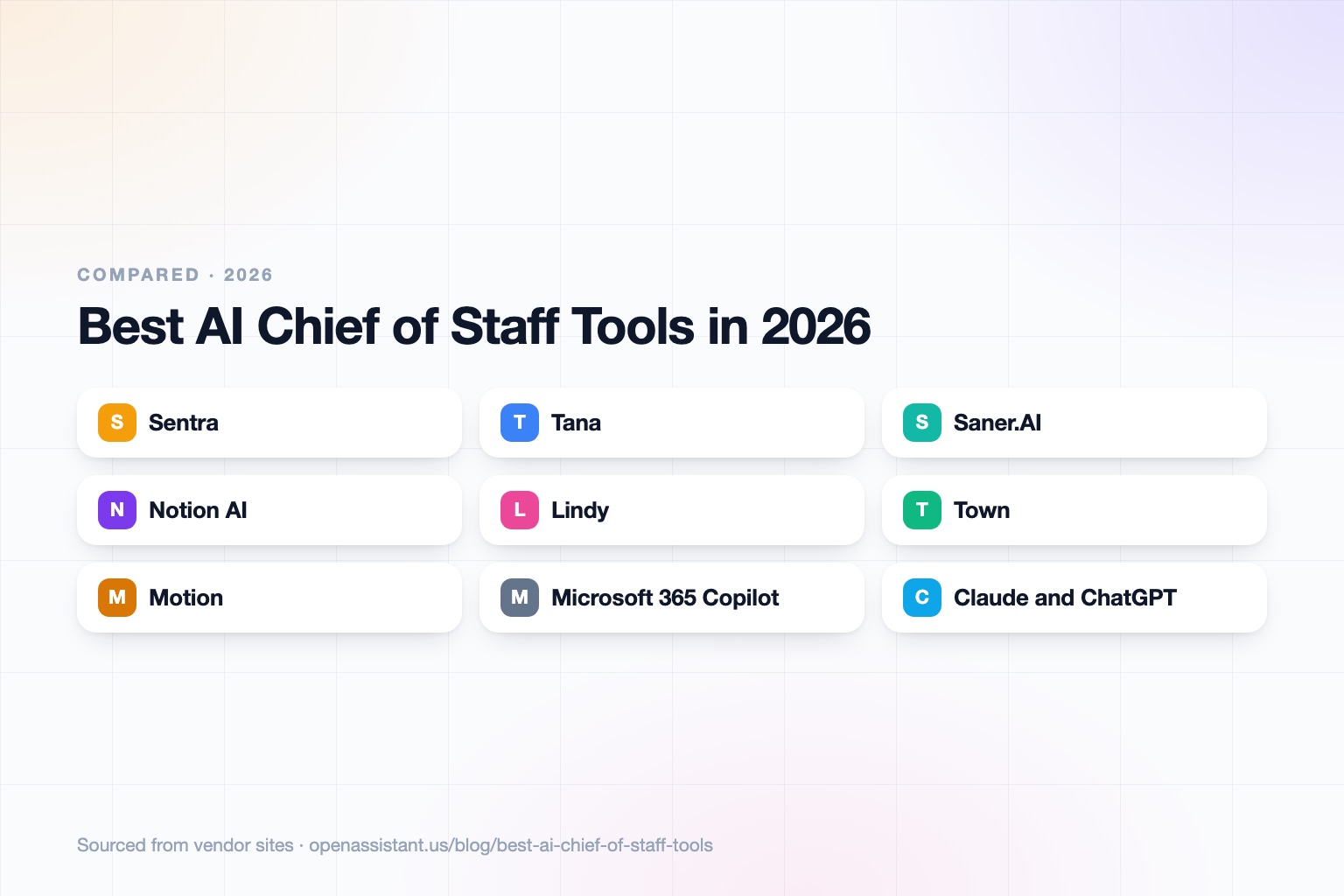
The short answer
An AI chief of staff tracks commitments, briefs you before meetings, and follows through on what was decided. The best AI chief of staff tool depends on whether you need company-wide memory, meeting capture, or an agent that acts.
- Best for company-wide memory: Sentra, which builds a permissioned knowledge base across your tools.
- Best for meetings turned into tracked work: Tana.
- Best for a personal second brain with proactive help: Saner.AI.
- Best for an agent that executes across apps: Lindy.
- Best for briefings, routines, and approvals from a personal assistant: Town, with team plans and SOC 2 Type II.
- Best if you live in a workspace or suite: Notion AI or Microsoft 365 Copilot.
- Best for chasing people and closing loops: OpenAssistant, with its own phone number and email.
AI Chief of Staff Tools at a Glance
| Tool | Best for | Key capabilities | Pricing |
|---|---|---|---|
| Sentra | Company-wide memory and commitment tracking | Connects 200+ tools, maps decisions and open commitments, permissioned access via API and MCP; SOC 2 Type II and ISO 27001 | Not published; book a demo or start via account |
| Tana | Meetings turned into filed work | Native meeting capture, AI transcripts and summaries, connections to HubSpot, Jira, and GitHub, MCP support | Free (5 meetings a month); Pro $20 early bird, regularly $30; Max and Business higher |
| Saner.AI | A proactive personal second brain | Notes, tasks, and calendar in one place, with Google Drive, email, Slack, and calendar sync | Free; Starter $8; Standard $16 per month |
| Notion AI | Teams already organized in Notion | Agent for multi-step tasks, AI meeting notes, enterprise search on Business | Free (AI trial); Plus $10; Business $20 per member per month |
| Lindy | An agent that executes across apps | Daily briefs, inbox and calendar work, meeting attendance, editable memory, 1,000+ integrations | $50 one-time trial credit; Plus $29.99 per user per month and up |
| Town | Routines, briefings, and approvals | Own @town.com email, stock routines (inbox triage, meeting and morning briefings, contact dossiers, reconnect suggestions), approvals, audit log; SOC 2 Type II | Free; Starter $15 billed monthly, higher tiers billed annually; Team and Enterprise |
| Motion | Calendar and task planning | AI Chat, projects and tasks, calendar and meetings, docs | Pro AI $19, Business AI $29 per seat per month; free trial |
| Microsoft 365 Copilot | Microsoft-based companies | Copilot across Outlook, Teams, and Office files; pre-built agents; content within the tenant | Copilot Business add-on $18 per user per month yearly (promo through December 2026) |
| Claude and ChatGPT | Reasoning, drafting, and synthesis | Strong writing and analysis, connectors; no native org memory unless you supply it | Claude: Free, Pro $17 yearly, Team $20 per seat yearly. ChatGPT: confirm with OpenAI |
| OpenAssistant | Follow-through with people | Own phone number and email, follow-ups, approvals, shared tasks, workflows | Private beta; request access |
Details reflect each vendor's public site as of October 3, 2026. Pricing and features change often, so confirm with the vendor. Descriptions of Tana, Sentra, and Motion's category positioning also draw on the vendors' own comparison articles, which are marketing.
What Is an AI Chief of Staff?
A human chief of staff is the person who makes sure what was decided actually happens: they prepare the executive, track who owes what, and keep the organization aligned. An AI chief of staff aims at the memory and follow-through half of that job.
- Pre-meeting briefings: pull what was decided last time and what changed since.
- Commitment tracking: notice promises made in email, chat, and meetings, and who owns them.
- Follow-through: draft reminders, surface overdue items, and nudge owners.
- Status answers: answer 'where does this stand?' from actual work, not stale slides.
- Routing: make sure the right person hears about a decision.
That differs from an AI executive assistant, which usually manages one person's inbox and calendar. The tools below cover different pieces of the job. Related reading: best AI executive assistants and best AI assistants for CEOs.
How We Chose the Best AI Chief of Staff Tools
We grouped tools by the piece of the chief of staff job they own, and checked each against four questions: does it remember context, does it capture commitments, does it act or only answer, and how are your data and permissions handled? We left out tools we could not verify on a vendor site.
Sentra: Best for Company-Wide Memory
Sentra compiles meetings, messages, documents, code, and deals into a permissioned knowledge base for people and AI agents, connecting 200+ tools such as Slack, Gmail, GitHub, Jira, and HubSpot. It maps decisions, conversations, and open commitments across the company, and lists SOC 2 Type II and ISO 27001 certification, with cloud, VPC, or on-prem deployment and a no-training statement.
The limit: it is infrastructure for organizational memory, not a personal assistant. Pricing is not published on the page we read, and setup involves admin-level authorization of sources.
Tana: Best for Turning Meetings Into Tracked Work
Tana is a meeting-intelligence product, and it describes itself as an agentic meeting platform. It captures meetings natively with AI transcripts and summaries and, per its own article on the category, converts discussions into proposed work filed in tools like Linear, GitHub, and Jira while keeping organizational context current. Its pricing page lists a free plan with 5 hosted meetings a month and 50 AI queries, and a Pro plan at an early-bird $20 a month, regularly $30.
The limit: it is meeting-centered, so treat the chief of staff label as the vendor's own positioning; it is strongest where your team already files work in the tools it connects to. Check recording and consent rules before you transcribe calls (general information, not legal advice).
Saner.AI: Best for a Proactive Personal Second Brain
Saner.AI keeps notes, tasks, and calendar in one place and syncs with Google Drive, email, Slack, and calendar. Plans are Free (30 AI messages a month, 100 notes), Starter at $8 a month, and Standard at $16 a month with unlimited AI messages and notes under its terms.
The limit: it is aimed at an individual professional. It is not an organization-wide memory, and it does not act with people outside your account.
Notion AI: Best if Your Team Already Lives in Notion
Notion's Business plan, at $20 per member per month, adds a Notion Agent for multi-step tasks, AI meeting notes, enterprise search across connected tools, and SAML SSO. Free and Plus plans include only a trial of Notion AI.
The limit: the memory is what your team models and maintains in Notion, so it works best when the team already keeps its commitments there.
Lindy: Best for an Agent That Executes
Lindy runs scheduled daily briefs and weekly reports, handles inbox and calendar work, attends meetings, saves workflows as reusable skills, and keeps editable memory files about your business. It connects to 1,000+ apps and can be used from Slack, iMessage, and email. Its pricing page lists SOC 2, GDPR, HIPAA, and PIPEDA compliance.
The limit: usage is credit-based, and the free offer is a $50 one-time trial valid for 7 days. Single-user context is the norm; check how memory is shared across a team before relying on it as org memory.
Town: Best for Briefings, Routines, and Approvals
Town gives each person an assistant, Townie, with its own @town.com email address. It ships stock routine templates that map closely to a chief of staff's rhythm: meeting briefings, morning briefings, contact dossiers, reconnect suggestions, inbox triage, and reports. It connects to 50+ apps such as Gmail, Outlook, Slack, HubSpot, and Salesforce. Actions need your approval unless you grant more, there is a full audit log, AI training is off by default, and it lists SOC 2 Type II. Team plans share routines and pooled credits. Read our Town review.
The limit: it is a personal assistant with team plans, not a company-wide knowledge base like Sentra. Pricing is credit-based and hard to predict (Starter is $15 per month, and Pro and above are billed annually), and we found no dedicated phone number or enterprise SSO. Poke, a consumer texting assistant with reminders and proactive alerts, is sometimes named in the same breath, but it is individual-only and was acquired by Cognition in July 2026 with its roadmap after 2026 not committed. See the personal agents roundup.
Motion: Best for Planning the Calendar Around Tasks
Motion combines AI chat, projects and tasks, calendar and meetings, and docs. Pro AI is $19 per seat per month and Business AI is $29, with monthly AI credits and a free trial without a card. It suits an executive whose chief of staff job is mostly planning time and priorities.
The limit: it optimizes your own schedule more than it tracks commitments made by other people. See best AI calendar assistants.
Microsoft 365 Copilot: Best Inside the Microsoft Tenant
Copilot works across Outlook, Teams, and Office files with pre-built agents such as Researcher and Analyst. The Copilot Business add-on is $18 per user per month on annual billing, discounted through December 2026 from a regular $21, and requires an eligible Microsoft 365 Business plan.
The limit: its context is the Microsoft tenant, so work in other tools stays out of view unless connected.
Claude and ChatGPT: Best for Reasoning and Synthesis
General assistants are good at turning a pile of notes into a brief, a decision memo, or a risk list. Claude has a Free plan, Pro at $17 a month billed yearly, and a Team plan at $20 per seat on annual billing with SSO and no default model training. We could not load OpenAI's pricing page, so confirm ChatGPT plans there.
The limit: they do not hold your organization's memory unless you paste it in or connect sources, and they do not follow up with people. See how to use AI at work.
OpenAssistant: Best for Closing Loops With People
We build OpenAssistant, so weigh this entry accordingly. It is an executive assistant with its own name, phone number, and email, built for the follow-through half of the job when the work involves other people: chasing owners, multi-person threads, scheduling across many calendars, hand-offs, approvals, and shared tasks that persist in memory. You can hand it a task by phone, iMessage, SMS, WhatsApp, email, or web, and set plain-English workflows that run on demand, on a schedule, or on a trigger. See the product page and AI meeting prep.
It is in private beta (request access). It is not a company-wide knowledge graph like Sentra, and it does not replace a workspace like Notion or a meeting recorder, so many teams pair it with one. Team plans include SAML SSO, SCIM, and RBAC; see the Trust Center.
How to Choose
- You want a proactive personal assistant with briefings and approvals: Town.
- Solo executive, tight budget: Saner.AI or a general assistant, plus a calendar tool.
- Leadership team with scattered context: an org-memory tool like Sentra, with admin review of what it can see.
- Lots of meetings, work filed in Jira or Linear: Tana or a note taker.
- Microsoft or Google shop: start with the built-in assistant and add an agent for follow-through.
- Many external parties (clients, vendors, candidates): an agent that can email and call, such as OpenAssistant or Lindy.
Common Mistakes When Setting Up an AI Chief of Staff
- Expecting memory without connecting sources: the tool can only track what it can see.
- Skipping permissions review: ask what each connected account can read and send.
- No approval rules: decide which actions need your yes before they go out.
- Treating it as a replacement for a person: judgment and relationships remain human.
- Recording meetings without consent: check local rules and tell attendees.
Frequently asked questions
What is an AI chief of staff?
It is an AI system that briefs you before meetings, tracks commitments and follow-ups, and helps make sure decisions get carried out. It covers the memory and follow-through part of a human chief of staff's work, not their judgment.
What are the best AI chief of staff tools?
It depends on the job: Sentra for company-wide memory, Tana for meetings turned into work, Saner.AI for a personal second brain, Lindy, Town, and OpenAssistant for agents that act, and Notion AI or Microsoft 365 Copilot inside those ecosystems.
What is the difference between an AI chief of staff and an AI executive assistant?
An AI executive assistant usually manages one person's inbox and calendar. An AI chief of staff leans toward organizational memory, commitments across a team, and follow-through.
Can ChatGPT or Claude act as an AI chief of staff?
They can synthesize and draft well, but they do not keep organizational memory or follow up with people unless you connect sources and add tooling around them.
Is an AI chief of staff safe for confidential company data?
Check each vendor's certifications, no-training statement, and permission model. Some, such as Sentra, publish SOC 2 Type II and ISO 27001 certification; always verify against the vendor's current documents.
Sources
- Sentra
- Sentra: AI chief of staff article
- Tana: best AI chief of staff tools
- Tana pricing
- Saner.AI pricing
- Notion pricing
- Lindy pricing
- Motion pricing
- Microsoft 365 Copilot pricing
- Claude pricing
- Town
- Town pricing
- Town trust and security
- Town Series A announcement
- TechCrunch: Why Cognition bought Poke (Jul 24, 2026)
Facts last verified 2026-10-03.
More comparisons
- Town AI Assistant Review (2026): Pricing, Features, and Alternatives
- Best AI Assistants for CEOs and Busy Executives (2026)
- Best AI Executive Assistants in 2026 (Compared)
- Best AI Meeting Note Takers in 2026
- Best AI Tools for Weekly Status Reports and Team Updates in 2026
- Best AI Personal Assistants and Agents in 2026, Compared
If your work involves other people
OpenAssistant is our executive assistant for teams, with its own phone number and email. See how it compares:
Keep reading
Guides
- Best AI Executive Assistants in 2026 (Compared)
- Best AI Assistants You Can Text (iMessage, WhatsApp, SMS) in 2026
- Best AI Assistants That Make Phone Calls for You (2026)
- How to Use AI as an Executive Assistant (Step by Step)
- How to Know If an AI Tool Is Safe to Use in 2026
- How to Use AI at Work: 10 Practical Ways in 2026
- How Businesses Can Use AI Beyond ChatGPT in 2026
- 20 Tasks You Can Automate With AI at Work in 2026
- 9 Best AI Calendar Assistants for 2026
- 7 Best AI Email Assistants for 2026