Best AI Tools for Customer Support Teams in 2026
 Justin Canetti10 min read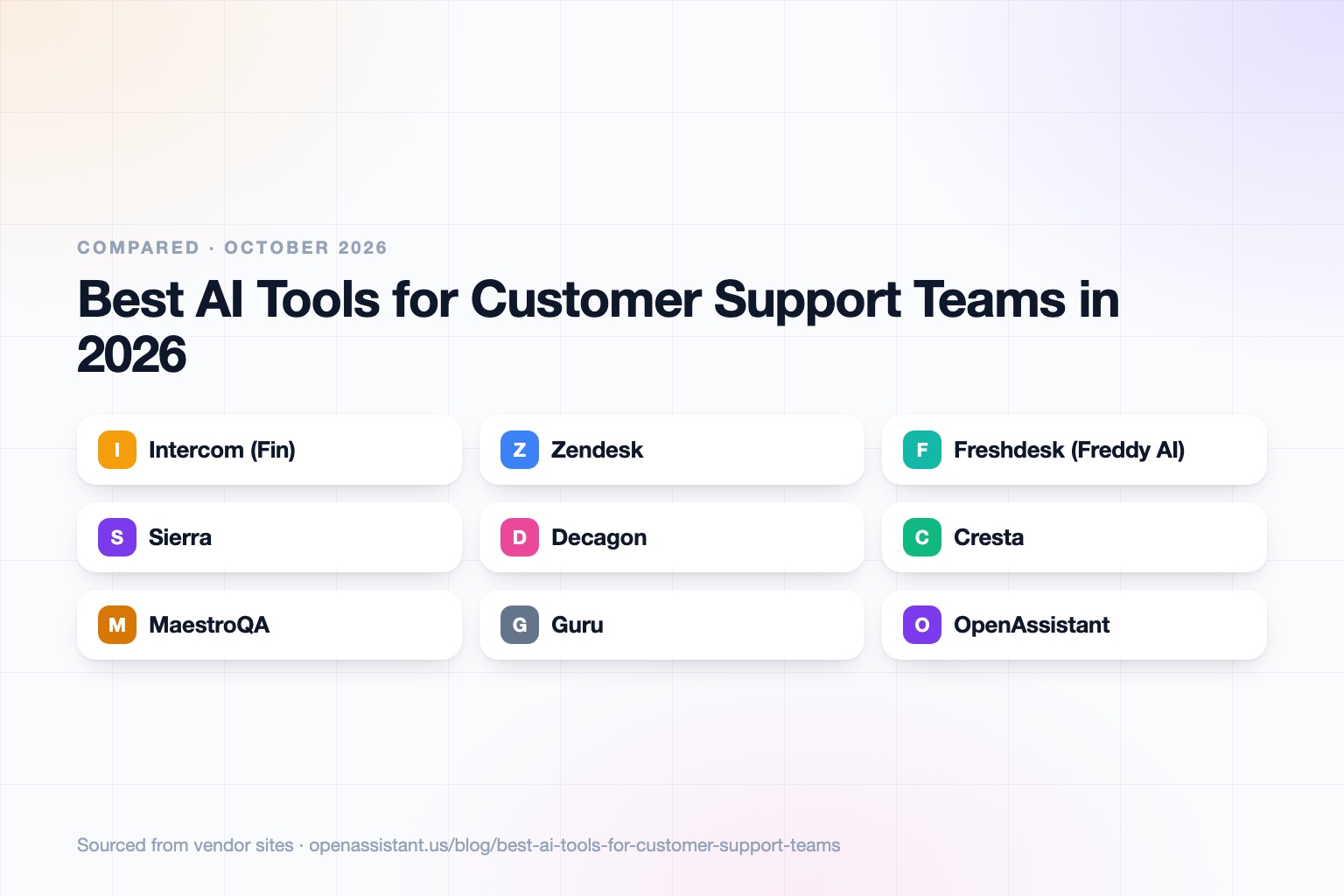
The short answer
The best AI tool for a support team depends on the job: resolving tickets automatically, helping your human agents, checking quality, or keeping answers accurate. Most teams need one tool from the first two groups and a good knowledge base underneath.
- Small to mid-size team that wants AI inside its help desk: Intercom (Fin) or Zendesk, or Freshdesk if budget is tight.
- Enterprise AI agents across chat, email, and voice: Sierra or Decagon.
- Helping live agents in the contact center: Cresta.
- Reviewing quality and coaching at scale: MaestroQA.
- Keeping the knowledge base trustworthy: Guru.
- Coordination around support, such as scheduling escalation calls and chasing internal hand-offs: OpenAssistant.
AI Tools for Customer Support Teams at a Glance
| Tool | Best for | Key capabilities | Pricing |
|---|---|---|---|
| Intercom (Fin) | AI agent plus help desk for small and mid-size teams | Fin AI Agent, shared inbox, workflows, optional Copilot for agents | Seats from $29 per month; Fin $0.99 per outcome; Copilot add-on $29 per agent per month |
| Zendesk | Established help desk with AI agents and Copilot | Suite plans, AI agents with automated resolutions, Copilot add-on | Suite from $55 per agent per month (annual); extra resolutions $1.50 to $2.00 |
| Freshdesk (Freddy AI) | Budget-friendly help desk with AI included | Freddy AI Agent, Copilot add-on, knowledge base, routing | From $19 per agent per month (annual); 500 free AI sessions; more at $49 per 100 |
| Sierra | Enterprise conversational AI agents | Agent builder, insights, outcome-based pricing | Outcome-based; amounts not published |
| Decagon | Enterprise AI agents across chat, email, and voice | Unified agents on three channels, workflow handling | Not published |
| Cresta | Real-time agent assist in contact centers | Live suggestions, knowledge surfacing, coaching | Not published |
| MaestroQA | AI quality assurance and conversation analytics | Automated QA, AI coaching, AskAI, compliance monitoring | Not published |
| Guru | AI knowledge layer for support answers | AI search, verification workflows, knowledge agents, 100+ integrations | Custom; contact sales |
| OpenAssistant | Coordination work around support | Own phone number and email, scheduling, follow-ups, shared tasks, workflows | Private beta; request access |
Details reflect each vendor's public site as of September 2026. Pricing and features change often, so confirm with the vendor.
How We Chose
Support software now covers four different jobs, and they are priced differently. We picked tools that lead in each: AI agents that resolve tickets, help desks that bundle AI, tools that assist human agents, and tools that measure quality or keep knowledge accurate.
We looked at what each product does, who it suits, whether pricing is published, and the controls a support team needs: handoff to humans, integrations with the help desk you already run, and clear data-handling terms.
Per-Resolution Versus Per-Seat Pricing
Help desks have long charged per agent seat. AI agents have introduced a second meter: you pay when the AI resolves a conversation. Intercom publishes $0.99 per outcome for Fin, on top of seat fees. Zendesk includes a small allowance of automated resolutions per agent and charges $1.50 per resolution committed or $2.00 pay as you go beyond it. Freshdesk sells AI sessions, with 500 included and more in blocks of 100.
Sierra describes outcome-based pricing, though it does not publish rates. The practical advice: estimate your monthly ticket volume and a realistic automated resolution rate, then compare the total against seat costs. A per-resolution model is cheapest when volume is low or uneven, and can add up when volume is high.
Intercom: Best for an AI Agent Inside Your Help Desk
Intercom bundles the Fin AI Agent with a help desk. Plans start at $29 per seat per month (Essential), $85 (Advanced), and $132 (Expert, which adds SSO and HIPAA support). Fin is billed at $0.99 per outcome, counted when a customer confirms resolution, does not ask for more help, or Fin completes a workflow. A Copilot add-on for human agents is $29 per agent per month.
The limit: usage-based charges for channels like SMS, WhatsApp, and phone sit on top of seats and outcomes, so the total depends on how you use it. A 14-day free trial is available.
Zendesk: Best for Established Help Desk Operations
Zendesk Suite Team is $55 per agent per month on annual billing, Suite Professional is $115, and Enterprise with Copilot is custom. Plans include automated resolutions by AI agents (5 per agent per month on Suite Team, 10 on Suite Professional), with extra resolutions at $1.50 committed or $2.00 pay as you go. Copilot is a $50 per agent per month add-on for Professional and higher plans, covering triage and in-ticket assistance.
The limit: the included resolution allowance is small, so teams that automate heavily should model the overage cost.
Freshdesk: Best for Budget-Conscious Teams
Freshdesk plans run $19 (Growth), $55 (Pro), and $89 (Enterprise) per agent per month on annual billing. The Freddy AI Agent includes 500 free sessions, with additional blocks at $49 per 100 sessions, and the Freddy Copilot is a $29 per agent per month add-on on Pro and Enterprise. All tiers include ticketing, a shared inbox, a customer portal, and a knowledge base.
The limit: advanced AI insights and audit logs sit on the top tier, and session-based billing needs watching as volume grows.
Sierra: Best for Enterprise Brand Experiences
Sierra builds conversational AI agents for large and mid-market brands in sectors such as financial services, healthcare, telecommunications, retail, and hospitality. Its site highlights an agent-building tool called Ghostwriter, an Insights product for analysis, SOC 2 and HIPAA listings, and outcome-based pricing, where you pay for results rather than flat usage.
The limit: it is aimed at enterprise deployments, and it does not publish rates, so expect a sales process.
Decagon: Best for AI Agents Across Chat, Email, and Voice
Decagon provides AI agents for customer service that run on chat, email, and voice from one intelligence layer. Its site lists enterprise customers in travel, financial services, retail, and technology, and cites customer-reported results, such as Chime reporting 70% chat and voice resolution. Those are the vendor's published case figures, so ask for references from a similar business.
The limit: pricing is not published, and it is built for larger operations rather than a two-person support inbox.
Cresta: Best for Real-Time Agent Assist
Cresta focuses on helping human agents during live conversations: real-time suggestions, knowledge from your enterprise systems, workflow automation, and coaching based on what top performers do. It also describes a unified platform spanning human and AI agents.
The limit: it targets contact centers (its listed customers include airlines, hotels, banks, and telecom firms), and pricing is by demo only.
MaestroQA: Best for Quality Assurance and Coaching
MaestroQA analyzes conversations across channels. It offers AI-assisted quality reviews, coaching insights, an AskAI feature for natural language questions about conversation data, compliance monitoring, and sentiment and churn flags.
The limit: it reviews and coaches rather than answering customers, and pricing is not shown on its main page. If you record or transcribe calls for QA, make sure you have the right notices and consent for your location, and check how the vendor handles that data. This is general information, not legal advice.
Guru: Best for Keeping Support Knowledge Accurate
AI agents are only as good as the knowledge behind them. Guru is an AI knowledge layer with AI search, verification workflows that keep content current, knowledge agents, and more than 100 integrations. Its site lists SOC 2 Type II, HIPAA, and SSO among its controls.
The limit: pricing is custom and tailored to your organization, with no public per-seat rate.
OpenAssistant: Best for Coordination Around Support
We build OpenAssistant, so weigh this entry accordingly. It is an executive assistant with its own name, phone number, and email (or one on your company domain) that handles work involving other people: scheduling escalation calls across many calendars, multi-person email threads, follow-ups, hand-offs and approvals, and shared tasks. Workflows can run on demand, on a schedule, or on a trigger. It works over phone calls, iMessage, SMS, WhatsApp, and email, and is in private beta (request access). See the product page and Trust Center.
It is not a help desk, a ticket-resolving AI agent, or a QA tool, and it does not replace any of the tools above. It suits the human coordination that surrounds your support stack.
How to Choose
- Small team, one help desk: start with the AI built into Intercom, Zendesk, or Freshdesk before adding anything new.
- High ticket volume and repetitive questions: an AI agent such as Fin, Sierra, or Decagon, with the pricing model modeled against your volume.
- Complex, high-stakes live conversations: agent assist such as Cresta.
- Quality or compliance requirements: a QA tool such as MaestroQA.
- Inconsistent answers across agents: fix the knowledge base first, for example with Guru.
- Cross-team coordination: see AI scheduling and our guide to tasks to automate with AI.
Common Mistakes to Avoid
- Automating before the knowledge base is clean. An AI agent repeats whatever your documentation says.
- Ignoring the handoff. Test how and when the AI escalates to a human, and what context the human receives.
- Comparing sticker prices only. Per-resolution, per-session, and per-seat costs are not directly comparable until you model your own volume.
- Skipping data-handling questions. Ask whether customer conversations are used for model training and where they are stored. Our guide on how to know if an AI tool is safe lists what to ask.
- Measuring only deflection. Track customer satisfaction and repeat contacts, not just how many tickets the AI closed.
Teams that adopt AI well usually start narrow, such as one channel or one topic, and expand. For a broader playbook, see how to use AI at work, and for the customer-facing roles, our roundup for customer success managers.
Frequently asked questions
What is the best AI tool for customer support?
It depends on the job. Intercom, Zendesk, and Freshdesk bundle AI into a help desk, Sierra and Decagon target enterprise AI agents, Cresta assists live agents, MaestroQA handles quality, and Guru handles knowledge.
How much does Intercom Fin cost?
Per Intercom's pricing page, Fin is $0.99 per outcome, billed when a customer confirms resolution, does not ask for more help, or Fin completes a workflow. Seats are billed separately, starting at $29 per seat per month.
What is per-resolution pricing?
You pay when the AI resolves a conversation instead of paying only per agent seat. Zendesk, for example, lists $1.50 per extra automated resolution on a commitment and $2.00 pay as you go.
Can AI replace a customer support team?
Vendors report high automated resolution rates, but results vary by business, and complex or sensitive issues still need people. Most teams use AI for repetitive questions and keep humans for the rest.
Is it safe to use AI on customer conversations?
It can be, with care. Check whether your data is used for training, where it is stored, what certifications the vendor holds, and whether call recording requires consent where you operate. This is general information, not legal advice.
Do I need a new help desk to use AI?
Not necessarily. Many AI agents and agent-assist tools integrate with an existing help desk, and Zendesk, Intercom, and Freshdesk each include their own AI.
Sources
Facts last verified 2026-10-01.
More comparisons
If your work involves other people
OpenAssistant is our executive assistant for teams, with its own phone number and email. See how it compares:
Keep reading
Guides
- Best AI Executive Assistants in 2026 (Compared)
- Best AI Assistants You Can Text (iMessage, WhatsApp, SMS) in 2026
- Best AI Assistants That Make Phone Calls for You (2026)
- How to Use AI as an Executive Assistant (Step by Step)
- How to Know If an AI Tool Is Safe to Use in 2026
- How to Use AI at Work: 10 Practical Ways in 2026
- How Businesses Can Use AI Beyond ChatGPT in 2026
- 20 Tasks You Can Automate With AI at Work in 2026
- 9 Best AI Calendar Assistants for 2026
- 7 Best AI Email Assistants for 2026