ChatGPT for Work vs. OpenAssistant: An Assistant for Every Employee
 Justin Canetti8 min read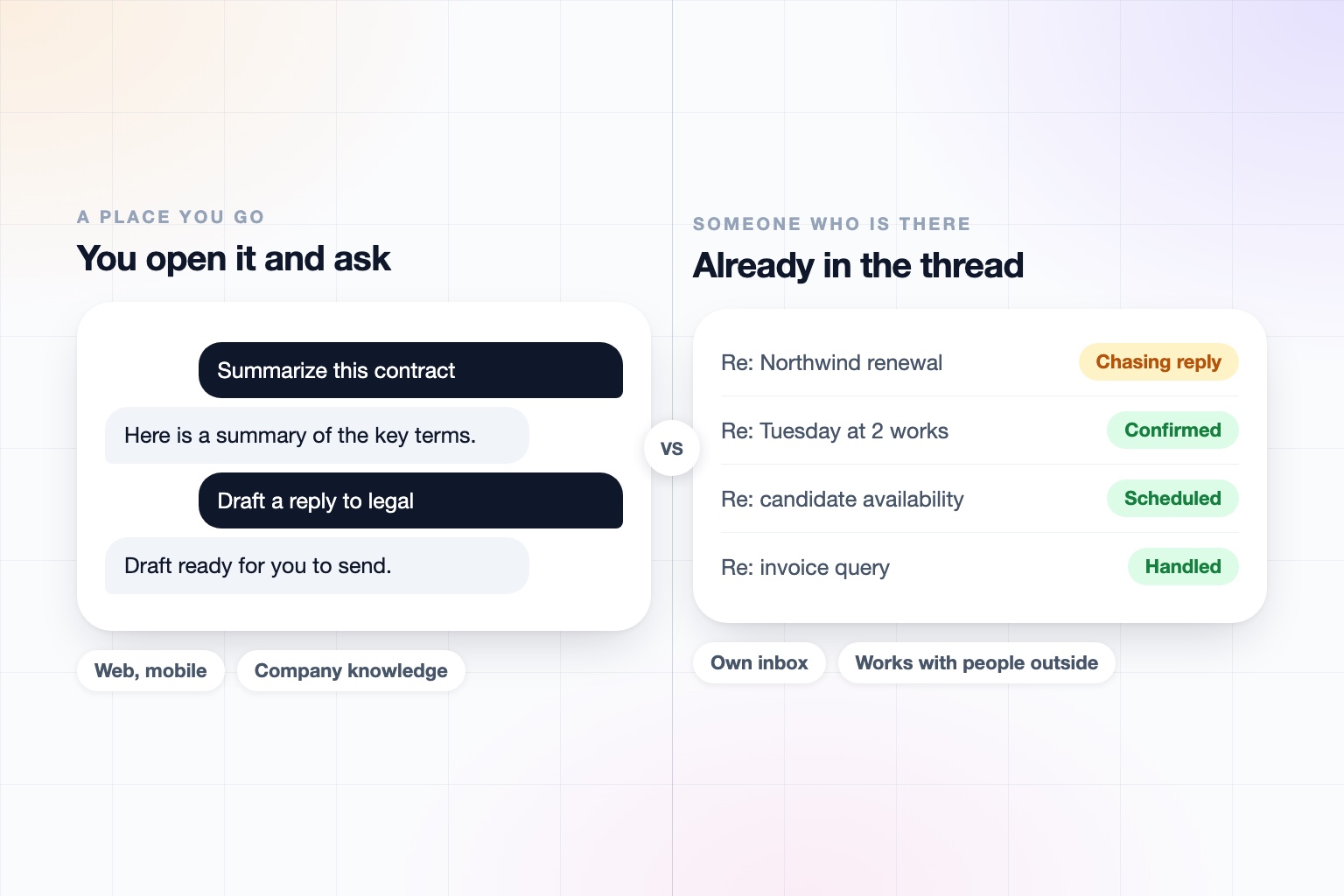
For most companies, ChatGPT is the AI they already have. It is the tool employees reach for first, and OpenAI has been building it out for organizations: ChatGPT Business and Enterprise, company knowledge that searches your connected apps, shared projects, a ChatGPT Work agent for longer tasks, and workspace agents your team can build and publish.
A note on naming: OpenAI sells this as ChatGPT Business, Enterprise, and Edu, and its agent for longer jobs is called ChatGPT Work, so we use "ChatGPT for Work" here as shorthand for that whole set.
It is a strong, mature, sensibly priced product. The question worth asking is what kind of help it gives. ChatGPT is a place you go to ask for something. An assistant is someone who is already in the work.
ChatGPT for Work vs. OpenAssistant at a Glance
| ChatGPT for work | OpenAssistant | |
|---|---|---|
| What it is | A workspace of chat, agents, and company knowledge across your connected apps | An executive assistant with a name, personality, and its own identity |
| How you use it | ChatGPT on web, iOS, and Android, plus an agents app in team chat | Phone calls, iMessage, SMS, WhatsApp, email, and web |
| Its own phone number and email | None found; agents act through connected accounts | Yes: its own phone number and email address (or one on your company domain), and its own secure computer |
| Working with people outside your company | Not documented as an autonomous capability | Handles the exchange itself, including multi-person threads, hand-offs, and follow-ups |
| Shared work | Shared projects and shareable workspace agents inside a workspace | Shared tasks, memories, contacts, files, and workflows, inside your company and across companies |
| Scheduled and triggered work | Scheduled and monitoring tasks; workspace agents can run on a schedule, from team chat, or by API | Workflows on demand, on a schedule, or on a trigger, described in plain English |
| Connectors | A large connector set, with company knowledge that respects each user's permissions | Your calendar, inbox, files, and business systems |
| Security and admin | No training on business data by default; Enterprise adds SCIM, RBAC, a Compliance API, and data residency options | SOC 2 Type II, GDPR and CCPA, SAML SSO, SCIM, and RBAC on Team plans, audit logs on Enterprise; no training on customer data |
| Pricing | Business about $20 per user per month billed annually; Enterprise on request | Paid plans per seat; request access |
ChatGPT details reflect OpenAI's help center and announcements as of September 2026. OpenAI ships changes often and several features are in research preview, so re-check before relying on any single row.
ChatGPT for Work is a place your team goes to get things done. OpenAssistant is an assistant who is already there, and who works with the people outside the chat.
What ChatGPT for Work Does Well
It is worth being specific, because the strengths are real.
- Company knowledge. Answers with citations from Google Drive, SharePoint, GitHub, HubSpot, and other connected sources, respecting each person's access.
- Reach. Nearly every employee already knows how to use it, which makes rollout easy.
- Workspace agents. Teams can build agents, share them, and run them on a schedule, from team chat, or by API.
- A mature enterprise stack. On Enterprise: SCIM, role-based access, a Compliance API, immutable logs, and data residency in many regions, with business data not used for training by default.
- Price. A low per-seat entry point.
If you want to give a company one general-purpose AI tool for research, writing, analysis, and code, this is a reasonable choice.
A Place You Go vs. Someone Who's There
ChatGPT waits to be asked. Its agents can run on schedules and triggers, but the center of gravity is the chat window: you open it, describe the task, and review the output.
An OpenAssistant assistant lives where the work is. It has its own phone number and email address, so people can text it, call it, cc it, or forward it something, the same way they would a human executive assistant. It also reaches out to people, which is where most real work happens.
Real work is not done alone at a desk, one on one with an agent. It involves other people, and doing it well takes six things a chat tool is not designed around:
- Multi-person coordination, keeping one thread straight across several people
- Back-and-forth communication that runs for days without you re-explaining it
- Hand-offs and approvals, so the right person signs off before anything goes out
- Negotiation and consensus-building, like finding a time that works for six calendars
- Follow-ups and accountability, including chasing the people who have not replied
- Social etiquette and reading the room, because your assistant is speaking in your name
The people it deals with do not need an account. They only need to be someone you work with.
Shared Work, Inside and Across Companies
ChatGPT's collaboration is inside a workspace: shared projects, shared agents, and shared context among people in your organization. That is useful, and it is a good fit for internal work.
OpenAssistant's collaboration extends past the company line. Tasks, memories, contacts, files, and workflows can be shared inside your company, and across companies, where your assistant works with someone else's assistant on one shared task. The renewal with a vendor and the deal with a customer are exactly the kind of work that sits between organizations.
Governance and Trust
OpenAI's compliance story is strong, and we would not pretend otherwise. If your IT team has already approved ChatGPT, that approval carries real weight.
OpenAssistant is built to clear the same bar for an assistant that has its own identity and acts on its own:
- SOC 2 Type II, GDPR, and CCPA, with encryption in transit and at rest, and no training on customer data
- SAML SSO, SCIM, and RBAC on Team plans, and audit logs on Enterprise
- Per-action autonomy an admin can lock team-wide, with supervision that can be tightened but never loosened by any instruction the assistant receives
- Confirmation windows and approved wording, so sensitive messages are sent verbatim after a person signs off
- Credential hand-off, so the assistant never sees your passwords
Details are on our Trust Center and pricing page.
Who Should Use Which?
ChatGPT for Work is a good fit if you want one general-purpose AI for the whole company, and your priorities are research, writing, analysis, and building agents on your own data.
OpenAssistant is a better fit if your reaction to ChatGPT was:
It is great when someone opens it. I want something that is already handling it.
They are not mutually exclusive. Many teams will keep ChatGPT for the thinking and add an executive assistant for the scheduling, follow-up, and coordination that fills the rest of the week.
An executive assistant for the work you do with others
Connect your tools, hand over the recurring work, and let your assistant coordinate with the people around you.
Keep reading
Head-to-head comparisons
Guides
- Best AI Executive Assistants in 2026 (Compared)
- Best AI Assistants You Can Text (iMessage, WhatsApp, SMS) in 2026
- Best AI Assistants That Make Phone Calls for You (2026)
- How to Use AI as an Executive Assistant (Step by Step)
- How to Know If an AI Tool Is Safe to Use in 2026
- How to Use AI at Work: 10 Practical Ways in 2026
- How Businesses Can Use AI Beyond ChatGPT in 2026
- 20 Tasks You Can Automate With AI at Work in 2026
- 9 Best AI Calendar Assistants for 2026
- 7 Best AI Email Assistants for 2026