Grok Bot vs ChatGPT for Work (2026): Which Is Better?
 Justin Canetti9 min read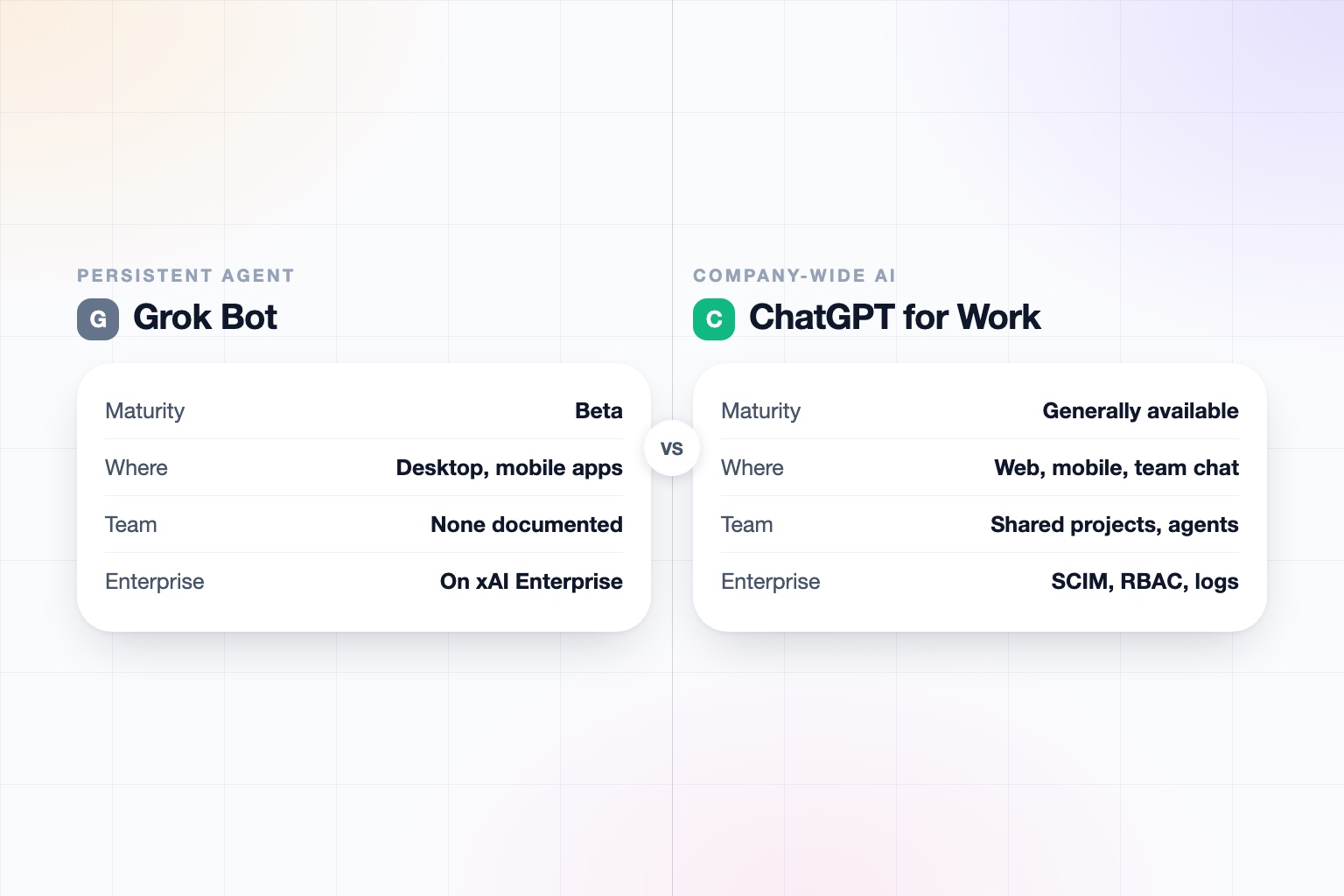
The short answer
ChatGPT Business and Enterprise is the safer, more mature choice for a company today; Grok Bot is the more interesting choice if you want a persistent agent on its own cloud VM that can handle tools with no API, and you are comfortable with an early beta. A quick naming note: OpenAI does not sell a product literally called ChatGPT for Work. It sells ChatGPT Business and Enterprise, plus an agent called ChatGPT Work.
Pick Grok Bot if:
- You want a named agent on a persistent cloud VM with a browser, filesystem, terminal, and MCP that keeps running when your laptop is closed.
- You work with legacy tools that have no API and need an agent that can use them through a browser.
- You already have a SuperGrok subscription or a paid Cursor plan, which is how beta access works.
Pick ChatGPT (Business, Enterprise, or ChatGPT Work) if:
- You need answers from connected company apps with citations that respect each person's permissions.
- You need established compliance, data residency, SCIM, RBAC, and logs for a whole workforce.
- You want a published, low entry price with Codex, deep research, and shareable workspace agents in the seat.
Grok Bot vs. ChatGPT for Work at a Glance
| Grok Bot | ChatGPT (Business / Work) | |
|---|---|---|
| What it is | A persistent, named agent on an account-scoped cloud VM, from xAI | ChatGPT Business or Enterprise, plus ChatGPT Work, an agent for longer tasks across connected apps and files |
| Status | Early beta, launched August 11, 2026 | Established plans; workspace agents are a research preview or recently generally available (sources conflict) |
| Who it is for | People and teams comfortable with an early beta; team and enterprise access was promised at launch | Teams and companies that want chat, agents, and company search in one workspace |
| Access and pricing | SuperGrok subscription or a paid Cursor plan; usage resets weekly; price sources conflict, so confirm on x.ai | Business $20/user annual or $25 monthly (2 to 200 seats); Premium seat $100 annual or $125 monthly; Enterprise contract price not public |
| Where you use it | Desktop apps and mobile (xAI docs list macOS, Windows, Linux, iOS, and Android; earlier reports described Android as planned) | ChatGPT on web, iOS, and Android, plus a ChatGPT Agents app in Slack |
| Where the work runs | Cloud VM with browser, filesystem, terminal, and MCP; all bots share one VM and are not separate security boundaries | Hosted by OpenAI across connected apps and files; produces documents, spreadsheets, decks, reports, and Sites |
| Connectors | Gmail, Google Calendar, Drive, Outlook, Teams, SharePoint, Salesforce, Slack, Notion, GitHub, Jira; computer-use fallback when no connector exists | Slack, SharePoint, Google Drive, GitHub, HubSpot, Asana, Microsoft 365, Linear, Figma, with cited answers |
| Scheduled or triggered work | Routines on a schedule or events, 50 per bot; Slack and GitHub can trigger routines | Scheduled page with one-off, recurring, and monitoring tasks; workspace agents trigger by human, schedule, Slack, or API |
| Multiple agents | Multiple bots run in parallel and coordinate in group chat; learns skills from up to 10 minutes of browser demonstration | Workspace agents can be built, tested, published, and shared with teammates; Projects can be shared |
| Approvals | Approval required for sending, publishing, buying, and deleting; stops for passwords, 2FA, and payment entry | Not documented in the sources we reviewed |
| Own phone or email identity | None documented; acts as you inside your logins | None found; sends email and Slack messages through connected accounts |
| Security and compliance | SOC 2 Type II and GDPR reported by a secondary source; xAI says Grok Business customer data is never used for training, and Enterprise adds custom SSO, SCIM, and audit controls | SOC 2 Type 2 and ISO 27001 cited; Enterprise adds SCIM, RBAC, Compliance API, Compliance Logs, data residency; no training on business data by default |
Based on xAI's Grok Bot documentation, xAI's Grok Business announcement, OpenAI product pages and help articles, and secondary reporting as of September 2026. Both products change quickly, so re-check before relying on any single row.
First, What Does "ChatGPT for Work" Actually Mean?
OpenAI does not sell a product literally called "ChatGPT for Work." It sells ChatGPT Business (renamed from ChatGPT Team in August 2025), ChatGPT Enterprise and Edu, and an agent called ChatGPT Work that handles longer tasks across your connected apps and files.
Grok has its own naming tangle. Grok Bot is the official name of xAI's agent product, launched in beta on August 11, 2026. It is separate from @grok, the reply chatbot on X, from Grok Tasks, which are scheduled prompts, and from Grok Business and Enterprise, the team chat plans xAI launched in December 2025. This post compares Grok Bot with the ChatGPT workspace plans and the ChatGPT Work agent.
If you are earlier in the decision, our guide on AI beyond ChatGPT for business covers the wider field.
What Is Grok Bot?
Grok Bot is a persistent, named agent that runs on an account-scoped cloud virtual machine with a browser, a filesystem, a terminal, and MCP support. It signs into apps and does multi-step work, and it keeps running when your laptop is closed.
Several features stand out. Multiple bots can run in parallel and coordinate in a group chat. A bot can learn a skill from up to 10 minutes of you demonstrating it in a browser. Routines run on a schedule or on events, with 50 per bot and the last 20 runs kept. When there is no connector for an app, it falls back to computer vision and browser use. Named connectors include Gmail, Google Calendar, Drive, Outlook mail and calendar, Teams, SharePoint, Salesforce, Slack, Notion, GitHub, and Jira.
It acts for you through your own accounts. It does not have its own phone number or email address that we could find documented, and phone or voice calls are not documented either. Bots have names, but a name is not an external identity.
What Are ChatGPT Business, Enterprise, and ChatGPT Work?
ChatGPT Business is the team plan, from 2 to 200 paid seats. Standard seats include ChatGPT, ChatGPT Work, Codex, GPTs, Projects, Apps, Company Knowledge, ChatGPT Agent, and Deep Research. Enterprise and Edu add contract pricing and deeper administration.
ChatGPT Work produces documents, spreadsheets, decks, reports, and Sites. On top of that, workspace agents can be built, tested, published, and shared with teammates or a whole workspace, then used in Slack, run on a schedule, or triggered through the API with an admin-issued token.
Sources conflict on whether workspace agents are still a research preview for Business, Enterprise, and Edu or are now generally available. Treat them as new either way.
Maturity and Access: Beta vs Established
This is the biggest practical difference. Grok Bot is an early beta. Access is through a SuperGrok subscription or a paid Cursor plan, per xAI's documentation, with usage that resets weekly. The docs list desktop, iOS, and Android, though earlier reports described Android as planned. Team and enterprise access was described as coming in the weeks after launch.
ChatGPT Business and Enterprise are established products with a clear buying path. A team can sign up, pay per seat, and administer it. You can also try workspace agents, though those are newer.
A beta is not a flaw. It is simply a different risk profile, which matters if the agent will touch customer data or run unattended.
Grok Bot vs ChatGPT Pricing
ChatGPT Business is $20 per user per month billed annually or $25 monthly, with a Premium seat at $100 annual or $125 monthly for 5x usage. A secondary source says Business was cut by $5 on April 2, 2026. Enterprise pricing is a contract that is not public, with credit-based flexible pricing. Business covers 2 to 200 paid seats.
We are not stating a Grok Bot price. Sources conflict, with several different monthly figures reported, so confirm the current figure on x.ai before you decide. What is documented is the access route: a SuperGrok subscription or a paid Cursor plan. For the team chat products, xAI lists Grok Business at $30 per seat per month, with Enterprise on custom terms.
Compare against the pricing pages of each vendor, since both change often.
Agents, Routines, and Scheduled Tasks
- Grok Bot: the persistent VM is its core advantage. A bot can work with a legacy tool that has no API by driving a browser, and it can learn a repeatable skill from a short demonstration. Routines run on a schedule or events, and Slack and GitHub can act as triggers.
- ChatGPT: a Scheduled page supports one-off, recurring, and monitoring tasks, with active-task limits of 10 on Business and Edu and 15 on Enterprise. Workspace agents trigger by a person, a schedule, Slack, or the API. Enterprise, Edu, and Healthcare can share scheduled tasks across the workspace. We did not find inbound email or SMS triggers.
Grok Bot's approvals are documented: it asks before sending, publishing, buying, and deleting, and stops for passwords, 2FA, and payment entry. We did not find an equivalent approval list for ChatGPT Work. For ideas on what to hand to an agent, see tasks to automate with AI and how to use AI at work.
Security, Compliance, and Admin Controls
ChatGPT has the more mature story. Enterprise adds SCIM, RBAC with custom roles, a Compliance API, immutable Compliance Logs, and data residency in regions including the US, Europe, UK, Japan, Canada, South Korea, Singapore, Australia, India, and the UAE. Business includes SAML SSO, MFA, and spend controls. No training on business data is the default, and SOC 2 Type 2 and ISO 27001 are cited, though we did not see the full certificate list.
For xAI, the picture is more split. A secondary source reports SOC 2 Type II and GDPR, annual penetration tests, and ISO 27001 and 42001 in progress. xAI says Grok Business customer data is never used for training, and Enterprise adds custom SSO, SCIM, advanced audit and security controls, and an optional Enterprise Vault with customer-managed keys. Whether those apply to Grok Bot itself is not clear. A third-party review says Grok Bot has no multi-user features documented, while xAI's docs mention admin controls, identity management, network policies, and logging for enterprise, so the sources conflict.
One design detail matters: all bots on an account share one VM and are not separate security boundaries. See our guide on how to know if an AI tool is safe and our trust page for what to check.
Who Each Is Best For
- A company rolling out AI to many people: ChatGPT Business or Enterprise. Seats, SSO, logs, and permission-aware search are in place.
- Someone who wants an always-on worker and is comfortable with a beta: Grok Bot, especially if you already pay for Cursor or SuperGrok and work with tools that lack APIs.
- A team that wants to build and share agents: ChatGPT workspace agents, which can be published to teammates and run from Slack or the API.
- Someone who wants real-time X and web search in the agent: Grok, which xAI positions as a strength of its models.
Neither has its own phone number or email identity that we could find. For that, see the Grok Bot alternative for work and the ChatGPT for work alternative. Related head-to-heads include Claude Cowork vs. ChatGPT and Claude Cowork vs. Grok Bot.
How They Differ in One Line
Grok Bot is a persistent VM agent in beta that acts as you across your logins, and ChatGPT is a mature company-wide AI with permission-aware search, shareable agents, and enterprise controls. If you are unsure, a trial of ChatGPT Business is the lower-risk start, and Grok Bot is worth watching as team access arrives.
Frequently asked questions
Is Grok Bot better than ChatGPT for work?
Neither is better across the board. ChatGPT is more mature, with company-wide search and enterprise controls, while Grok Bot is an early beta whose main strength is a persistent VM that can use tools with no API.
What is OpenAI's equivalent of Grok Bot?
OpenAI sells ChatGPT Business and Enterprise, plus an agent called ChatGPT Work for longer tasks across connected apps and files. There is no product literally named ChatGPT for Work.
How much does Grok Bot cost?
Sources conflict, so we are not stating a figure; confirm on x.ai. Access is documented through a SuperGrok subscription or a paid Cursor plan, with usage that resets weekly.
How much does ChatGPT Business cost?
ChatGPT Business is $20 per user per month billed annually or $25 monthly, for 2 to 200 paid seats. A Premium seat with 5x usage is $100 annual or $125 monthly, and Enterprise pricing is a contract that is not public.
Can Grok Bot keep working when my laptop is closed?
Yes. It runs on an account-scoped cloud VM with a browser, filesystem, terminal, and MCP, and keeps running when your laptop is closed.
Does Grok Bot ask before it takes actions?
Yes. Approval is required for sending, publishing, buying, and deleting, and it stops for passwords, 2FA, and payment entry.
Sources
- Grok Bot documentation
- Grok Business and Enterprise
- OpenAI: What is ChatGPT Business
- OpenAI: Business data
Facts last verified 2026-09-30.
More comparisons
If your work involves other people
OpenAssistant is our executive assistant for teams, with its own phone number and email. See how it compares:
Keep reading
Guides
- Best AI Executive Assistants in 2026 (Compared)
- Best AI Assistants You Can Text (iMessage, WhatsApp, SMS) in 2026
- Best AI Assistants That Make Phone Calls for You (2026)
- How to Use AI as an Executive Assistant (Step by Step)
- How to Know If an AI Tool Is Safe to Use in 2026
- How to Use AI at Work: 10 Practical Ways in 2026
- How Businesses Can Use AI Beyond ChatGPT in 2026
- 20 Tasks You Can Automate With AI at Work in 2026
- 9 Best AI Calendar Assistants for 2026
- 7 Best AI Email Assistants for 2026