Meta Muse vs. OpenAssistant: Personal Agent or Executive Assistant?
 Justin Canetti7 min read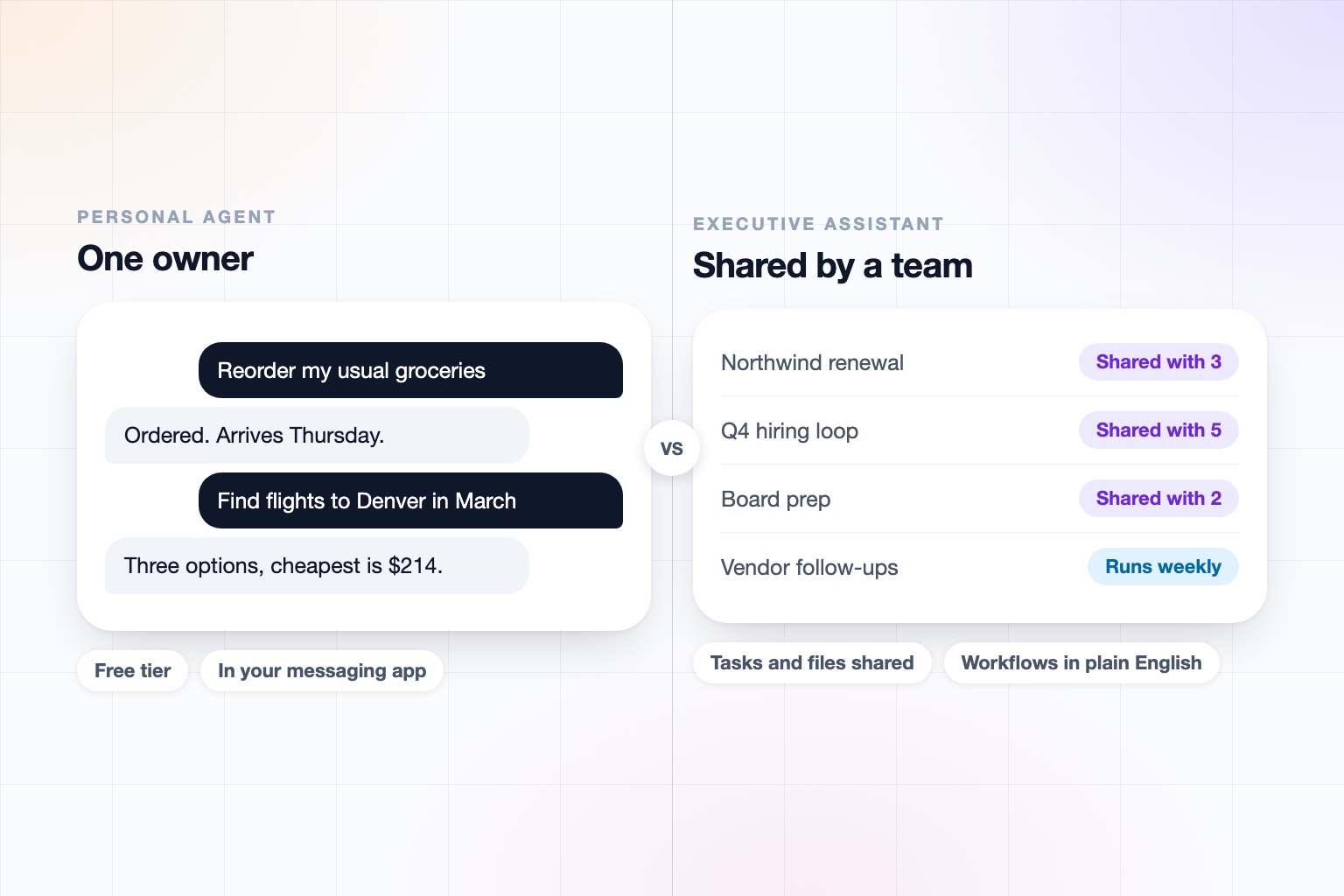
On September 8, Meta launched Muse, a personal AI agent built on its Muse Spark models. It runs in a secure virtual machine with its own browser, connects to your email, calendar, payments, and a long list of retailers and services, and works in the background while you do other things.
It is also easy to get. There is a free tier, paid plans at $20 and $100 a month, and it lives in the apps, including WhatsApp, where billions of people already are. That distribution is a real advantage, and it will make agents feel normal for a lot of people.
The question for a business is a narrower one. Muse is a personal agent with one owner. Work is a group activity.
Muse vs. OpenAssistant at a Glance
| Muse (Meta) | OpenAssistant | |
|---|---|---|
| Built for | Consumers: errands, shopping, travel, dining, health, smart home | Professionals and teams: work that involves colleagues, clients, and vendors |
| Where you use it | muse.ai, iOS, Android, and WhatsApp (US at launch) | Phone calls, iMessage, SMS, WhatsApp, email, and web |
| Its own identity | Its own email address was announced as coming soon | Its own name, phone number, and email address (or one on your company domain), plus its own secure computer |
| One owner or a team | One owner per agent; we found no group or multi-person support | Shared tasks, memories, contacts, files, and workflows, inside and across companies |
| Coordinating with people who aren't users | Sends email and negotiates on your behalf | Handles multi-person threads, hand-offs, approvals, and follow-ups itself |
| Workflows | Background tasks in its secure VM; custom connectors | Plain-English workflows that run on demand, on a schedule, or on a trigger |
| Data and training | Training on your interactions is on by default; opt out in Settings | No training on customer data |
| Compliance and admin | No SOC 2, ISO, or enterprise admin controls found | SOC 2 Type II, GDPR and CCPA, SAML SSO, SCIM, and RBAC on Team plans, audit logs on Enterprise |
| Pricing | Free tier, Power $20/month, Maximum $100/month | Paid plans per seat; request access |
Muse details reflect Meta's announcements, help center, and press coverage as of September 2026. Muse launched in the US only and Meta is adding features quickly, so re-check before relying on any single row.
Muse is a capable personal agent for the life of one person. OpenAssistant is an executive assistant for the work of a team.
What Muse Does Well
It would be a mistake to wave Muse away. Meta has built something with real reach.
- It acts. Muse sends email, books travel, fills in forms, and browses, and it does this in the background rather than making you watch.
- Permissions are enforced outside the model. Meta says checks on emails and purchases happen in a separate layer, and that passwords and payment details are kept away from the model. That is the right design instinct.
- The connector ecosystem is broad. Retail partners, payments, GitHub, Notion, and a developer program that drew well over a thousand applications in its first week.
- Price and distribution. A free tier and WhatsApp integration mean anyone can try it in seconds.
If you want an agent to handle your shopping, your dinner reservations, and your smart home, Muse is worth a look.
One Owner Is the Wrong Shape for Work
A Muse agent belongs to a person. That is the correct design for a personal agent, and it is the reason it is hard to stretch into a work tool.
Work involves more than one human. A task is shared. A follow-up goes to someone who is not your customer. A decision needs an approval from your boss before it goes out. Somebody covers for you while you are out, and needs the context.
OpenAssistant treats those as the normal case rather than an edge case. Real work is not done alone at a desk, one on one with an agent. So the six things a personal assistant tends to skip are the core of the product:
- Multi-person coordination across a whole thread, not just a single request
- Back-and-forth communication that persists over days
- Hand-offs and approvals before anything sensitive is sent
- Negotiation and consensus-building, such as finding a time for six calendars
- Follow-ups and accountability with the people who owe you an answer
- Social etiquette and reading the room, because your assistant is speaking in your name to a client
The people your assistant deals with do not need an account. And tasks, memories, contacts, files, and workflows can be shared inside your company, or across companies, where your assistant works with someone else's on the same job.
An Identity, Not Just a Login
Meta has said Muse will get its own email address soon, so that you can cc it on a thread or forward it something. That is a step toward an assistant that lives where work happens.
OpenAssistant starts there. Each assistant has its own name, personality, phone number, and email (or one on your company domain), plus its own secure computer and access to your calendar. Colleagues and clients can call, text, or email it directly, and it is the assistant, not you, who chases the reply.
Because that identity can send email in your company's name, we treat it as an infrastructure problem too: SPF, DKIM, and DMARC alignment so messages are authentic, a single router that keeps multi-party threads straight, and confirmation windows before anything sensitive goes out. You also decide how human the assistant seems, disclosure included.
Data, Training, and Governance
Meta's help center says Muse's training uses your interactions, including messages, tool calls, and agent hand-offs, by default. Names, emails, phone numbers, and similar identifiers are stripped, the data is not used for ads, and you can opt out in Settings. A user-held-key confidential VM is promised but has not shipped.
For an individual, that may be acceptable. For a business, the default matters, because the messages in question are your customers' and employees'. OpenAssistant does not train on customer data.
We also did not find SOC 2, ISO, or enterprise administration for Muse, which is understandable for a consumer launch limited to the US. OpenAssistant offers SOC 2 Type II, GDPR and CCPA compliance, SAML SSO, SCIM, and RBAC on Team plans, and audit logs on Enterprise, with per-action autonomy locked team-wide by an admin. Details are on our Trust Center.
What About Meta's Business Agent?
Meta also has a separate Business Agent for WhatsApp Business. It answers customer questions, recommends products, books appointments, and hands off to a human. That is a customer-facing front desk for a business, and it is a different job from an executive assistant who works for you and your team. You could reasonably use both.
Who Should Use Which?
Muse is a good fit if you want a free or low-cost agent for your personal life, you live in WhatsApp, and you are in the US.
OpenAssistant is a better fit if your reaction to Muse was:
That would be great for my errands. I need one for my meetings, my inbox, and my team.
It is for people whose day is made of other people, and for companies that need every employee's assistant to meet the security bar. And you can, of course, use both.
An executive assistant for the work you do with others
Connect your tools, hand over the recurring work, and let your assistant coordinate with the people around you.
Keep reading
Head-to-head comparisons
- Grok Bot Pricing (2026): What It Costs and Which Plan You Need
- Meta Muse vs Claude Cowork (2026): Which AI Agent Is Better?
- Best AI Personal Assistants and Agents in 2026, Compared
- Instinct vs Meta Muse (2026): Which AI Personal Agent Is Better?
- Muse vs Manus Cue (2026): Which AI Agent Should You Pick?
- Meta Muse vs Grok Bot (2026): Which AI Agent Is Better?
Guides
- Best AI Executive Assistants in 2026 (Compared)
- Best AI Assistants You Can Text (iMessage, WhatsApp, SMS) in 2026
- Best AI Assistants That Make Phone Calls for You (2026)
- How to Use AI as an Executive Assistant (Step by Step)
- How to Know If an AI Tool Is Safe to Use in 2026
- How to Use AI at Work: 10 Practical Ways in 2026
- How Businesses Can Use AI Beyond ChatGPT in 2026
- 20 Tasks You Can Automate With AI at Work in 2026
- 9 Best AI Calendar Assistants for 2026
- 7 Best AI Email Assistants for 2026