Meta Muse vs Claude Cowork (2026): Which AI Agent Is Better?
 Justin Canetti9 min read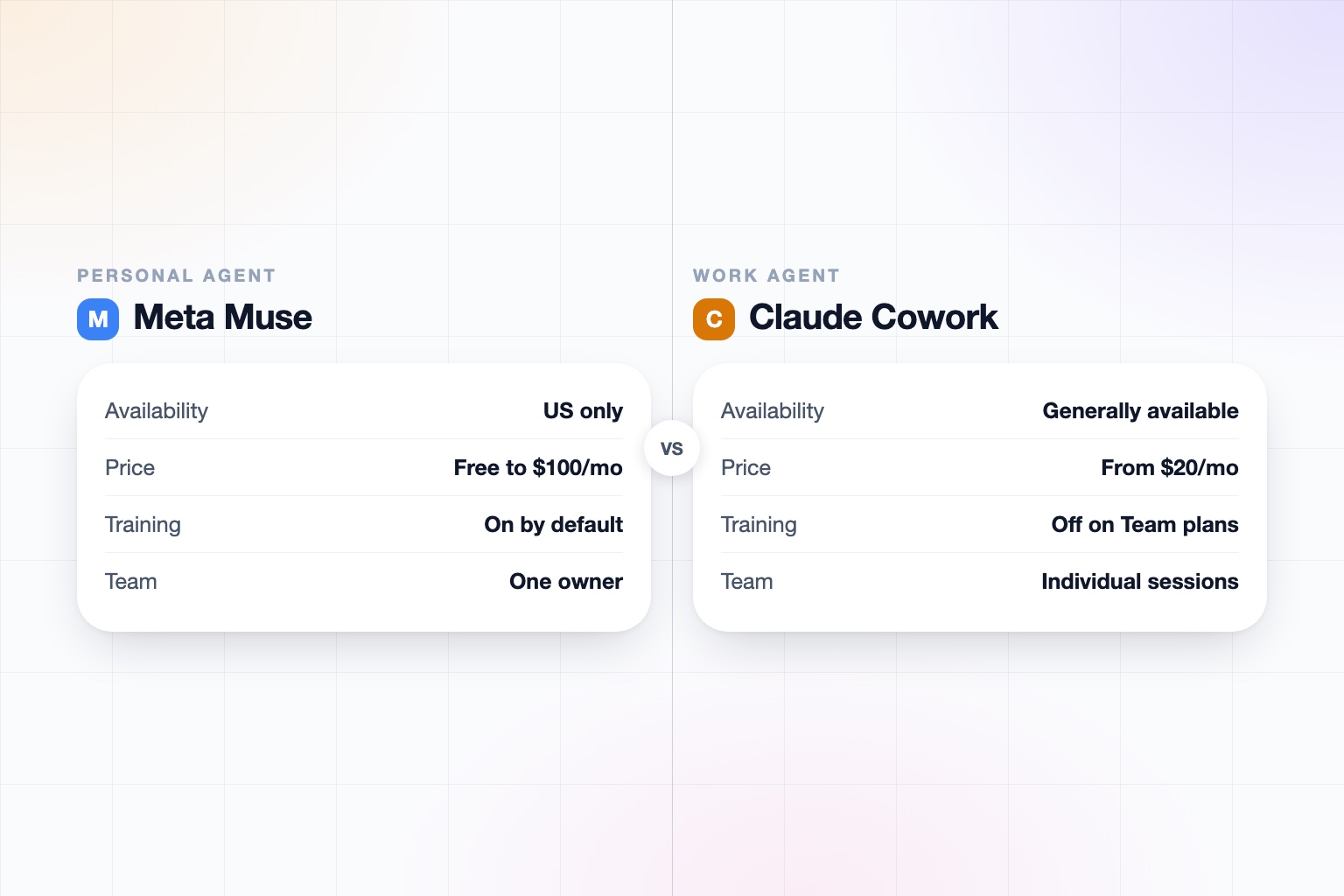
The short answer
Meta Muse is a consumer personal agent you can start for free; Claude Cowork is a work agent with team plans, admin controls, and compliance certifications. They overlap in that both take real actions on your behalf, but they are built for different people, so the right pick is mostly about who is using it and what data it will touch.
Pick Meta Muse if:
- You are an individual in the US who wants to start free and upgrade only if you need more usage.
- You live in WhatsApp or on your phone and want an agent for shopping, travel, bookings, and everyday errands.
- You like a broad connector and retail partner list, including payments through Link by Stripe.
Pick Claude Cowork if:
- You are using it for work and your employer or security team needs SSO, SCIM, RBAC, audit logs, and certifications.
- You want an agent that plans multi-step knowledge work, runs code, and shows each step.
- You want business data excluded from training by default.
On privacy, the two differ sharply by plan: Muse trains on interactions by default with an opt-out, while Cowork on Team and Enterprise does not train on your data by default. Details are below.
Meta Muse vs. Claude Cowork at a Glance
| Meta Muse | Claude Cowork | |
|---|---|---|
| What it is | Meta's consumer personal AI agent, launched September 8, 2026 | The agentic mode of Claude for non-coding knowledge work |
| Who it is for | Individual consumers; one owner per agent | Knowledge workers and teams in support, legal, sales, security, finance, healthcare, and government |
| Availability | US only at launch; card required to start | Pro, Max, Team, and Enterprise plans; admins enable it for their organizations |
| Where you use it | muse.ai, iOS, Android, and chats inside WhatsApp | Desktop app (macOS, Windows), web, mobile, and a Chrome extension side panel |
| Where the work runs | Background runs in a Muse Secure VM with its own browser | Cloud sessions in an isolated environment; local files, browser use, and computer control need the desktop app open |
| What it can do for you | Sends email, books travel, fills forms, browses, negotiates, and pays via Link by Stripe | Plans, splits work into parallel subtasks, runs code and shell commands, and shows each step |
| Connectors | Email, calendar, payments, health, smart home, dining, shopping, music, events; partners include Stripe, Shopify, Walmart, Expedia, Instacart, GitHub, Notion, Granola | Microsoft 365, Google Drive, Slack, Amplitude, plus plugins, skills, and MCP servers |
| Own identity | Muse getting its own email address was announced as coming soon; user-named agent with avatar and style | None found; acts as the user through connectors |
| Team and sharing | One owner per agent; no group support or enterprise features found | Claude Tag (beta, Slack) gives one Claude per channel; Cowork sessions cannot be shared, only artifacts |
| Pricing | Free tier with a usage meter; Power $20/month; Maximum $100/month | Free $0; Pro $17 annual or $20 monthly; Max from $100; Team $20 annual or $25 monthly; Enterprise $20/seat plus usage |
| Training on your data | On by default; opt out in Settings, Data controls; not shared with Meta ad systems | Team and Enterprise not used for training by default; Free, Pro, and Max show an opt-out |
| Security and compliance | No SOC 2, ISO, HIPAA, or GDPR certifications found; permission checks enforced outside the model | SOC 2 Type I and II, ISO 27001:2022, ISO 42001, HIPAA-ready with BAA; SSO, SCIM, RBAC, audit logs on Enterprise |
Based on Meta's help center, TechCrunch coverage, Meta's Connect announcements, Anthropic's pricing page, and release notes as of September 2026. Both products change quickly, so re-check before relying on any single row.
What Is Meta Muse?
The name Muse covers three separate things at Meta: the Muse Spark models, the Meta Business Agent for WhatsApp Business, and Muse, the consumer personal agent that launched on September 8, 2026. This post is about the last one.
Muse runs in the background in a Muse Secure VM with its own browser. It can send email, book travel, fill forms, browse, negotiate, and pay through Link by Stripe, with PayPal named at Connect. Its connectors cover email, calendar, payments, health, smart home, dining, shopping, music, and events, plus custom API connections and a browser fallback. Named partners include Stripe, Shopify, Best Buy, Gap, Sephora, Walmart, Wayfair, Expedia, Instacart, Shop Pay, PayPal, GitHub, Notion, and Granola. You can name it and choose its avatar and style.
At Connect on September 23, Meta announced a wake word on AI glasses, a Realtime Avatar for live video chat, Mac desktop control, and an email address for Muse itself that can be cc'd or receive forwards. Those are announcements, not features you can use today.
What Is Claude Cowork?
Claude Cowork is Anthropic's agentic mode of Claude for non-coding knowledge work. You give it a goal, and it plans, splits the work into parallel subtasks, runs code and shell commands, and shows each step so you can steer. Sessions run in the cloud in an isolated environment.
You can use it from the desktop app on macOS and Windows, on the web, on mobile, and from a Chrome extension side panel. Local file access, browser use, and computer control need the desktop app open, and local folders are limited to ones you connect. Dispatch lets Pro and Max users message Claude from a phone in one continuous thread and have it run on their desktop, as long as the desktop is awake with the app open.
Scheduled tasks run hourly, daily, weekly, weekdays, or on demand in the cloud, even with your laptop closed, on all paid plans. Cloud tasks cannot use local folders, and we did not find event or webhook triggers for Cowork.
Meta Muse vs Claude Cowork Pricing
Muse is the cheaper place to start. TechCrunch reported a free tier with a usage meter, a Power plan at $20 per month, and a Maximum plan at $100 per month. A card is required to start, and Meta may later take a small transaction fee on purchases.
Cowork needs a paid plan. Claude has a Free plan at $0, but Cowork is on paid plans: Pro at $17 per month billed annually or $20 monthly, Max from $100 per month, Team standard seats at $20 annual or $25 monthly, and Team Premium seats at $100 annual or $125 monthly with 5x usage. Enterprise is $20 per seat per month plus usage at API rates.
At the individual level the entry prices are close ($20 for Muse Power, $17 to $20 for Claude Pro), and the $100 top tiers match. The real difference is that Muse lets you start without paying anything. For a broader view of the category, see our roundup of the best AI personal assistants in 2026 and the pricing page for ours.
Privacy and Data Use Compared
This is where the two products differ most, and it depends on the plan.
- Meta Muse: per Meta's help center, training on your interactions, including messages, tool calls, and agent hand-offs, is on by default. You opt out in Settings, Data controls. Names, emails, phone numbers, and SSNs are stripped, and data is not shared with Meta ad systems. Passwords and payment details are hidden from the model in a Secure Credentials Store, and permission checks for emails and purchases are enforced outside the model. A Sentinel agent approves internet requests. You can delete items, ask it to forget, and reset your data. A Confidential VM with a user-held key is promised but has not shipped.
- Claude Cowork: Team and Enterprise data is not used for training by default. Free, Pro, and Max show an opt-out. Enterprise adds audit logs, a Compliance API, custom retention, SSO, SCIM, and RBAC, and Cowork has usage analytics and OpenTelemetry.
Neither is a verdict on safety by itself. Muse documents consumer safeguards, such as keeping credentials away from the model, but we found no SOC 2, ISO, HIPAA, or GDPR certifications for it. Cowork has the certifications and admin controls, but they matter most on Team and Enterprise. Our guide on how to know if an AI tool is safe covers what to check, and our trust page shows how we approach it.
Head to Head: What Each Can Actually Do
Both are agents that take real actions, but they point at different work.
- Muse's strengths: distribution through WhatsApp, a broad action surface across payments and large retail partners, a browser fallback, more than 1,500 developer connector applications in under a week, a free tier, and a glasses and avatar roadmap.
- Muse's gaps: one owner per agent, no group or multi-person support found, and no enterprise features. Some blogs claim it can phone businesses, but we could not verify that, so we do not count it.
- Cowork's strengths: a frontier model, deep governance, cloud scheduled tasks, a connector and plugin ecosystem, Claude Code alongside, and cross-device continuity with local file and computer use.
- Cowork's gaps: no Cowork-owned email or phone, sessions that cannot be shared, local features that need the desktop app open, and no event triggers that we found.
If your day is shopping, travel, forms, and bookings, Muse's reach and free start make it the stronger fit. If it is documents, analysis, and long multi-step projects, Cowork is built for that. For ideas on what to hand off, see tasks to automate with AI.
Can You Use Muse for Work?
Muse is positioned as a consumer product with one owner per agent. We found a reference to Muse for Small Business with no detail, and no enterprise features. Meta Business Agent is a separate product for WhatsApp Business, so do not confuse it with Muse.
If you use Muse for personal tasks, that is a clear use case. If you plan to point it at work email or client files, check your employer's policy first, because training on interactions is on by default and there are no admin controls or compliance certifications that we found. Cowork is the more natural fit when an organization needs to approve, log, and govern what an agent does.
For more on using AI in a job setting, see how to use AI at work and AI beyond ChatGPT for business.
Who Each Is Best For
- A US consumer who wants to try an agent today: Muse. Free to start, apps on iOS and Android, and chats in WhatsApp.
- A professional whose company already uses Claude: Cowork, since an admin can enable it with controls in place.
- A small team that wants shared governance: Cowork on Team, with Claude Tag in Slack as a way to put one Claude in each channel.
- Someone outside the US: Cowork, since Muse is US only at launch and we did not find a date for other countries.
- Someone watching what comes next: Muse, if glasses, avatar chat, desktop control, and its own email address matter to you.
Also worth reading: Muse vs. Cue by Manus, Muse vs. Grok Bot, and the Meta Muse alternative for work.
How They Differ in One Line
Meta Muse is a free-to-start consumer agent with broad reach and a documented consumer safety design, and Claude Cowork is a work agent with published team plans, admin controls, and compliance certifications. Many people will reasonably use Muse personally and Cowork at work.
Frequently asked questions
Is Meta Muse better than Claude Cowork?
Neither is better across the board. Muse is a free-to-start consumer agent with broad shopping and travel reach, while Cowork is a work agent with team plans, admin controls, and compliance certifications.
Is Meta Muse free?
Muse has a free tier with a usage meter. Power is $20 per month and Maximum is $100 per month, a card is required to start, and Meta may later take a small transaction fee.
Does Meta Muse train on my data?
Per Meta's help center, training on your interactions is on by default, and you can opt out in Settings, Data controls. Identifiers such as names, emails, phone numbers, and SSNs are stripped, and data is not shared with Meta ad systems.
Does Claude Cowork train on my data?
Team and Enterprise data is not used for training by default. Free, Pro, and Max show an opt-out.
Can I use Meta Muse at work?
We found no enterprise features, admin controls, or compliance certifications for Muse, and it is one owner per agent. Check your employer's policy before using it with work data.
Can I use Muse outside the US?
At launch it is US only. We did not find a confirmed date for other countries.
Sources
Facts last verified 2026-09-30.
More comparisons
If your work involves other people
OpenAssistant is our executive assistant for teams, with its own phone number and email. See how it compares:
Keep reading
Guides
- Best AI Executive Assistants in 2026 (Compared)
- Best AI Assistants You Can Text (iMessage, WhatsApp, SMS) in 2026
- Best AI Assistants That Make Phone Calls for You (2026)
- How to Use AI as an Executive Assistant (Step by Step)
- How to Know If an AI Tool Is Safe to Use in 2026
- How to Use AI at Work: 10 Practical Ways in 2026
- How Businesses Can Use AI Beyond ChatGPT in 2026
- 20 Tasks You Can Automate With AI at Work in 2026
- 9 Best AI Calendar Assistants for 2026
- 7 Best AI Email Assistants for 2026