Grok Bot vs Cue by Manus (2026): Which AI Agent Wins?
 Justin Canetti8 min read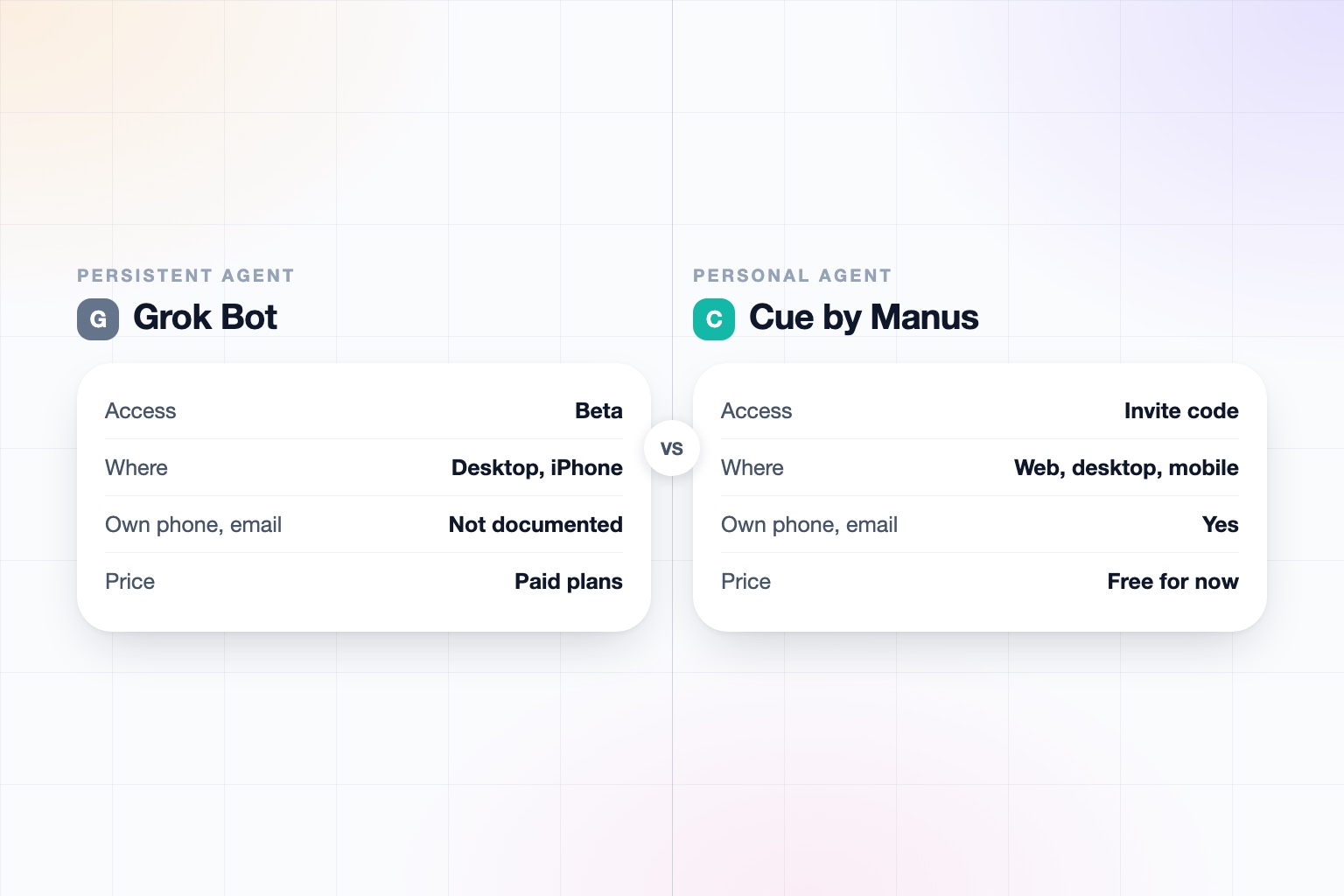
The short answer
Short answer: Grok Bot acts as you inside your own accounts, while Cue is an agent with an identity of its own (email, phone number, wallet, computer). Which is better depends on whether you want a delegate or a separate assistant.
- Pick Grok Bot if you already pay for SuperGrok Heavy or a Cursor plan, want a persistent cloud VM that signs into your existing apps, or need parallel bots, scheduled routines, and connectors like Gmail, Outlook, Salesforce, or Jira.
- Pick Cue if you want an agent that has its own email address, phone number, and wallet, can answer calls for you, works inside a budget you set, and can start work from events like a new email.
Both are early. Grok Bot is in beta and Cue is in invite-only early access, so the honest answer for many people is to try whichever one you can get into and re-check pricing before you commit.
Grok Bot vs. Cue at a Glance
| Grok Bot | Cue (Manus) | |
|---|---|---|
| What it is | A persistent, named agent on an account-scoped cloud VM with a browser, filesystem, terminal, and MCP | A standalone Manus app for personal agents, launched September 28, 2026 with Manus 2.0 |
| Who it's for | Individuals and developers on SuperGrok Heavy or Cursor; team and enterprise access was promised | Individuals; team plans not documented |
| Availability | Early beta, launched August 11, 2026 | Early access, invite code required |
| Where you use it | Desktop apps (macOS, Windows, Linux) plus iOS and Android apps, per xAI docs | Web, desktop, and mobile apps; iOS awaiting App Store review |
| Its own identity | None documented: it acts as you inside your logins | Its own email address, phone number, wallet, and dedicated computer |
| What it does for you | Multi-step work across apps, signing in as you; learns skills from a browser demonstration; falls back to browser use when there is no connector | Completes tasks on its own machine, sends messages, makes payments within a budget, can scan QR codes for ordering or holding a line |
| Contacting outside people | Sends on your behalf through your accounts, with approval; phone calls not documented | Sends messages and answers incoming calls; outbound calls and approval before messaging not verified |
| Multiple bots or agents | Multiple bots run in parallel and coordinate in group chat | Multiple agents share a group chat and delegate to each other |
| Multi-person and team support | Not documented by reviewers; docs mention enterprise admin controls | Multiple humans sharing one agent: not documented |
| Workflows and automation | Routines on a schedule or events, 50 per bot | Event-triggered tasks (new email, calendar event, Notion update, Slack message); scheduled tasks become Automations |
| Payments | Stops for payment entry and requires approval to buy | Payments inside a user-set budget |
| Privacy and data training | Grok Business and Enterprise state no training on customer data; consumer terms for Grok Bot: confirm on x.ai | Not documented in what we found |
| Security and compliance | SOC 2 Type II and GDPR reported by a secondary source; all bots share one VM | No SOC 2 or admin information found; a user-set spending budget is documented |
| Pricing | Included with SuperGrok Heavy or paid Cursor plans; confirm current price on x.ai | Free during early access; later pricing not disclosed |
Details reflect public documentation and press coverage as of September 2026. Both products change quickly, so re-check before relying on any single row.
What Is Grok Bot?
Grok Bot is xAI's agent product, launched in beta on August 11, 2026. It is a persistent, named agent that lives on an account-scoped cloud VM with a browser, a filesystem, a terminal, and MCP support. It signs into your apps and does multi-step work, and it keeps running when your laptop is closed.
Do not confuse it with @grok, the reply chatbot on X, with Grok Tasks (scheduled prompts), or with the Grok Business and Enterprise team chat plans. Those are separate products.
Its real strengths are practical. You can run several bots in parallel and have them coordinate in a group chat, teach one a skill with up to 10 minutes of browser demonstration, and set up routines that run on a schedule or on an event. It also handles tools that have no API by falling back to computer vision and the browser. For an overview of how agents like this fit into work, see AI beyond ChatGPT for business.
What Is Cue by Manus?
Cue is a standalone Manus app for personal agents, launched on September 28, 2026 alongside Manus 2.0. Each agent gets its own email address, phone number, wallet, and dedicated computer. That Cloud Computer keeps jobs running when your own device is closed, though its pricing has not been disclosed.
Cue can complete tasks on its own machine, send messages, make payments inside a budget you set, and answer incoming calls and leave you a summary in the app. It can also scan QR codes, for example for restaurant ordering or holding a place in line. Multiple agents can share a group chat, split one job, and delegate to each other, with you approving the result.
One context point: Manus was the subject of a Meta acquisition announced in December 2025 that China blocked in April 2026. Manus said in August that it would return to operating independently, and Cue launched after that. It is not a Meta product.
Is Cue Free? Grok Bot Pricing and Access
Cue is free during early access, but you need an invite code. Later pricing is not disclosed, and the pricing of the Cloud Computer is also undisclosed. The web, desktop, and mobile apps exist, with iOS awaiting App Store review.
Grok Bot is in early beta and is reached through SuperGrok Heavy or any paid Cursor plan, according to xAI's docs. Usage resets weekly. Prices quoted across sources conflict, so we are not going to print a number: confirm the current figure on x.ai before you pay.
In practice, Cue is cheaper to try if you can get an invite, while Grok Bot is the easier one to get if you already hold one of those subscriptions. For broader price comparisons across assistants, see our roundup of the best AI personal assistants in 2026 and the OpenAssistant pricing page.
Head to Head: What Each Agent Can Actually Do
Both products run a long-lived cloud computer, do multi-step work, support multiple cooperating agents, and can start work from triggers. The difference is in the model of delegation.
- Grok Bot acts through your accounts. It uses connectors (Gmail, Google Calendar, Drive, Outlook, Teams, SharePoint, Salesforce, Slack, Notion, GitHub, Jira) and asks for approval before sending, publishing, buying, or deleting. It stops for passwords, 2FA, and payment entry.
- Cue acts as its own entity. It has an email address and a wallet, spends inside a budget, and takes calls. Verified integrations include Gmail, Dropbox, GitHub, Notion, and calendar, though we did not find a full list.
- Automation: Grok Bot allows 50 routines per bot and keeps the last 20 runs. Cue starts tasks on new emails, calendar events, Notion updates, and Slack messages, set up by prompt.
Neither product has documented team features for multiple humans sharing one agent. If your goal is everyday task automation, either can serve. If you need shared tasks between people, look at products built for that, such as those covered in our solutions overview.
Does Grok Bot Have Its Own Phone Number? Identity and Channels
This is the clearest difference. Grok Bot has no documented phone number or email of its own. Bots have names, but that is not an external identity: the bot works as you, inside your logins. A third-party review found no email, Slack, Telegram, or phone channel for reaching it. You use the desktop app or the iPhone companion. Voice calls are not documented.
Cue has its own phone number, email address, wallet, and computer. It can answer incoming calls and leave a summary. What we could not verify is whether it can make outbound voice calls, whether it needs your approval before messaging someone, how it identifies itself to outsiders, and whether you can text it from your own iMessage or email.
An agent with its own identity is more independent and can be handed tasks that involve strangers. An agent that acts as you is more predictable for the people on the other end, but it means anything it sends carries your name. Neither model is wrong. It depends on how you feel about delegation.
Head to Head: Privacy, Security, and Trust
Neither product publishes much for individual users. For Grok Bot, xAI's Grok Business and Enterprise plans state that customer data is never used for training, and Enterprise adds custom SSO, SCIM, advanced audit and security controls, and an optional Enterprise Vault. A secondary report cites SOC 2 Type II and GDPR, with ISO 27001 and 42001 in progress. One design caveat is documented: all bots share one VM and are not separate security boundaries.
For Cue, we found no SOC 2, admin, or audit information. The documented control is a user-set spending budget.
If you plan to give either agent access to your inbox, read the terms first and see how to know if an AI tool is safe. Companies should also check what a vendor publishes on trust before rolling anything out, and read how to use AI at work for policy basics.
Who Each Is Best For
- Grok Bot is best for developers and power users, people who live in Cursor or X, and anyone whose work depends on legacy tools without APIs. Its real-time X and web search, parallel bots, and skill learning by demonstration are genuine advantages.
- Cue is best for people who want a separate agent with a real identity, spending controls, and cross-platform apps, and who are willing to wait for an invite. It bundles the identity pieces in one product.
- Neither is a clear fit yet for teams that need shared tasks, SSO, and audit trails on the agent itself. For that, compare Grok Bot against other options or read Instinct vs. Cue and Instinct vs. Grok Bot.
How They Differ in One Line
Grok Bot is a persistent cloud VM that works as you inside your own accounts. Cue is an agent with its own email, phone number, wallet, and computer. If you want to compare Cue with another new agent, see Cue by Manus alternatives and Muse vs. Cue.
Frequently asked questions
Which is better, Grok Bot or Cue?
Neither wins across the board. Grok Bot suits people who want an agent working inside their own accounts with parallel bots and routines. Cue suits people who want an agent with its own email, phone number, and wallet.
Is Cue by Manus free?
Cue is free during early access, and you need an invite code. Pricing after early access, including for the Cloud Computer, has not been disclosed.
How much does Grok Bot cost?
Grok Bot is available through SuperGrok Heavy or paid Cursor plans. Published prices conflict across sources, so confirm the current price on x.ai.
Does Grok Bot have its own phone number or email?
We did not find one documented. Grok Bot acts as you inside your own logins, and phone or voice calls are not documented.
Can Cue make phone calls?
Cue has its own phone number and can answer incoming calls, leaving a summary in the app. We could not verify outbound voice calls.
Is Cue a Meta product?
No. Meta announced a Manus acquisition in December 2025, but China blocked it in April 2026 and Manus said it would operate independently. Cue launched after that.
Sources
- xAI docs: Grok Bot
- xAI: Grok Business and Enterprise
- Manus: Introducing Manus 2.0 and Cue
- The Next Web: Manus 2.0 and Cue
Facts last verified 2026-10-01.
More comparisons
- Grok Bot Pricing (2026): What It Costs and Which Plan You Need
- Cue by Manus vs Claude Cowork (2026): Which AI Agent Wins?
- Grok Bot vs ChatGPT for Work (2026): Which Is Better?
- Best AI Personal Assistants and Agents in 2026, Compared
- Muse vs Manus Cue (2026): Which AI Agent Should You Pick?
- Meta Muse vs Grok Bot (2026): Which AI Agent Is Better?
- Instinct vs Cue by Manus (2026): Which AI Agent Wins?
- Instinct vs Grok Bot (2026): Which AI Agent Is Better?
- Claude Cowork vs Grok Bot (2026): Which Agent Is Better?
If your work involves other people
OpenAssistant is our executive assistant for teams, with its own phone number and email. See how it compares:
Keep reading
Guides
- Best AI Executive Assistants in 2026 (Compared)
- Best AI Assistants You Can Text (iMessage, WhatsApp, SMS) in 2026
- Best AI Assistants That Make Phone Calls for You (2026)
- How to Use AI as an Executive Assistant (Step by Step)
- How to Know If an AI Tool Is Safe to Use in 2026
- How to Use AI at Work: 10 Practical Ways in 2026
- How Businesses Can Use AI Beyond ChatGPT in 2026
- 20 Tasks You Can Automate With AI at Work in 2026
- 9 Best AI Calendar Assistants for 2026
- 7 Best AI Email Assistants for 2026