Claude Cowork vs Grok Bot (2026): Which Agent Is Better?
 Justin Canetti8 min read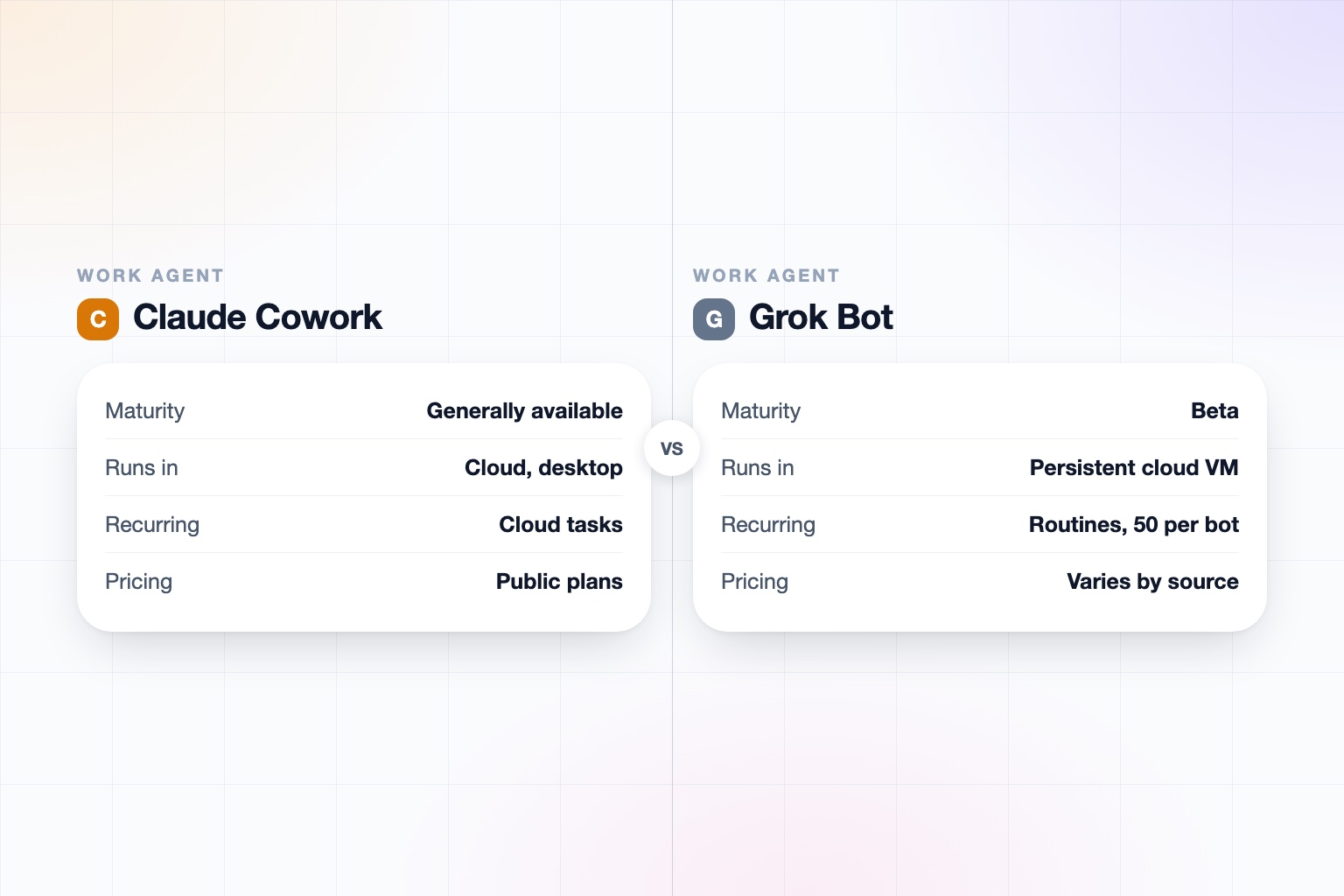
The short answer
Claude Cowork is the more mature, better-governed choice for most teams today, while Grok Bot is an early beta that is more interesting if you want a persistent, always-on agent that can drive tools with no API.
Pick Claude Cowork if:
- You need a generally available product with SSO, SCIM, RBAC, audit logs, and published compliance certifications.
- You want scheduled tasks on a Pro, Max, Team, or Enterprise plan and a documented price.
- You want a plan-and-execute agent that shows each step and works across desktop, web, and mobile.
Pick Grok Bot if:
- You want a named agent on its own persistent cloud VM that keeps running when your laptop is closed.
- You need to automate legacy tools with no connector, using a browser and computer vision fallback.
- You already pay for SuperGrok Heavy or a paid Cursor plan and can accept beta rough edges.
Claude Cowork vs. Grok Bot at a Glance
| Claude Cowork | Grok Bot | |
|---|---|---|
| What it is | The agentic mode of Claude for non-coding knowledge work | A persistent, named agent on an account-scoped cloud VM with browser, filesystem, terminal, and MCP |
| Who it is for | Knowledge workers in support, legal, sales, security, finance, healthcare, and government | Technical and power users willing to use an early beta |
| Where you use it | Desktop app (macOS, Windows), web, mobile, Chrome extension; local files and computer control need the desktop app open | Desktop apps (macOS, Windows, Linux) plus iOS and Android apps, per xAI docs |
| Where it runs | Cloud sessions in an isolated environment; local access needs the desktop app | A persistent cloud VM that keeps running when your laptop is closed |
| Pricing and access | Pro $17/month annual or $20 monthly; Max from $100/month; Team from $20 per seat; Enterprise $20/seat plus usage | Via SuperGrok Heavy or paid Cursor plans; usage resets weekly; price not stated here, confirm on x.ai |
| Scheduled or triggered work | Scheduled tasks (hourly to weekly) in the cloud on all paid plans; no event triggers found for Cowork | Routines on a schedule or events, 50 per bot, last 20 runs kept; Slack and GitHub can act as triggers |
| Connectors | Microsoft 365, Google Drive, Slack, Amplitude, plus plugins, skills, and MCP servers | Gmail, Google Calendar, Drive, Outlook, Teams, SharePoint, Salesforce, Slack, Notion, GitHub, Jira; 220-plugin catalog reported |
| Approvals | Shows each step so you can steer | Approval required for sending, publishing, buying, and deleting; stops for passwords, 2FA, and payment entry |
| Team and sharing | Sessions not shareable, artifacts are; Claude Tag (beta, Slack) for shared channel agents | Not documented for multi-user use; bots share one VM and are not separate security boundaries |
| Own phone or email identity | None found; acts as the user through connectors | None documented; acts as you inside your logins |
| Security and compliance | SOC 2 Type I and II, ISO 27001:2022, ISO 42001, HIPAA-ready; SSO, SCIM, RBAC, audit logs on Enterprise | SOC 2 Type II and GDPR reported by a secondary source; enterprise controls documented inconsistently |
| Maturity | Generally available since April 2026 | Early beta since August 11, 2026 |
Based on Anthropic and xAI documentation, release notes, and secondary reviews as of September 2026. Grok Bot is in beta and both products change quickly, so re-check before you decide.
What Is Claude Cowork?
Claude Cowork is Anthropic's agentic mode of Claude for knowledge work beyond code. You give it a goal, and it plans, splits the work into parallel subtasks, runs code and shell commands, and shows each step. Sessions run in the cloud in an isolated environment.
It reached general availability on macOS and Windows in April 2026, added web and mobile in July, and is available on Pro, Max, Team, and Enterprise plans, with admins enabling it for organizations. Dispatch lets Pro and Max users message Claude from a phone and have it run on their desktop, provided the desktop is awake with the app open.
What Is Grok Bot?
Grok Bot is xAI's agent product, launched in beta on August 11, 2026. It is a persistent, named agent on an account-scoped cloud VM with a browser, filesystem, terminal, and MCP. It signs into apps and does multi-step work, and it keeps running when your laptop is closed.
It is separate from @grok, the reply chatbot on X, from Grok Tasks, which are scheduled prompts, and from Grok Business and Enterprise, the team chat plans. Multiple bots can run in parallel and coordinate in a group chat, and a bot can learn a skill from up to 10 minutes of you demonstrating it in a browser.
Desktop-Tied Agents vs. a Persistent Cloud VM
The biggest architectural difference is where the agent lives. Cowork sessions run in the cloud, but local file access, browser use, and computer control need the desktop app open, and cloud tasks cannot use your local folders. That is a strength for working on your own files and a limit for anything you want running unattended.
Grok Bot's persistent VM is built around unattended work. It has its own filesystem and terminal, keeps running when you close the laptop, and can fall back to computer vision and browser use when no connector exists. The trade-off is that all bots share one VM and are documented as not separate security boundaries.
Claude Cowork vs Grok Bot Pricing and Access
Cowork pricing is public. Pro is $17/month billed annually or $20 monthly, Max starts at $100/month, the Team standard seat is $20 annual or $25 monthly, and Enterprise is $20 per seat plus usage at API rates.
For Grok Bot, xAI's documentation says access comes through SuperGrok Heavy or any paid Cursor plan, with usage resetting weekly. Pricing figures conflict across sources, so we are not going to quote one: confirm on x.ai. Team and enterprise access was described at launch as coming in the following weeks. Compare against the wider field in our roundup of best AI personal assistants in 2026.
Connectors, Scheduled Tasks, and Routines
Cowork scheduled tasks run hourly, daily, weekly, weekdays, or manually, in the cloud, on all paid plans. It names Microsoft 365, Google Drive, Slack, and Amplitude, and supports plugins, skills, and MCP servers. We did not find event or webhook triggers for Cowork.
Grok Bot routines run on a schedule or on events, with 50 per bot and the last 20 runs kept, and Slack and GitHub can act as triggers. Its connector list is broader on the enterprise side: Gmail, Google Calendar, Drive, Outlook, Teams, SharePoint, Salesforce, Slack, Notion, GitHub, and Jira. If you are deciding what to automate first, see tasks to automate with AI.
Approvals, Governance, and Security
Both keep a human in the loop. Grok Bot requires approval for sending, publishing, buying, and deleting, and stops for passwords, 2FA, and payment entry. Cowork shows each step so you can steer.
Governance is where Cowork is clearly ahead on documentation. Anthropic lists SOC 2 Type I and II, ISO 27001:2022, ISO 42001, HIPAA-ready configuration with a BAA, and on Enterprise, SSO, SCIM, RBAC, audit logs, a Compliance API, and custom retention. Team and Enterprise data is not used for training by default.
For Grok Bot, one secondary report cites SOC 2 Type II and GDPR, with ISO 27001 and 42001 in progress. xAI's separate Grok Business plan is $30 per seat per month and Enterprise adds custom SSO and SCIM, but a third-party review found no multi-user features documented for Grok Bot itself, while xAI docs mention admin controls and logging for enterprise. That is a conflict we could not resolve. Use our checklist on how to know if an AI tool is safe and the vendor trust pages.
Maturity: Generally Available vs. Early Beta
Cowork has been generally available for months, with usage analytics, OpenTelemetry, a plugin marketplace, and admin controls. Grok Bot is weeks old and in early beta, with a desktop app and iPhone companion, and a third-party review reported no email, Slack, Telegram, or phone channel for reaching it. Neither product has its own phone number or email identity that we could find. If you need one, see the Claude Cowork alternative for work or the Grok Bot alternative for work.
Which Is Better for Work, and for Whom?
- Team or company buying software: Cowork, for documented compliance, admin controls, and public pricing. See also Claude Cowork vs ChatGPT.
- Power user with legacy tools: Grok Bot, for its persistent VM, skill demonstration, and computer vision fallback.
- Someone who wants real-time X and web search: Grok Bot, which lists that as a strength.
- Someone who wants a simple, supported start: Cowork, across desktop, web, and mobile.
Frequently asked questions
Is Claude Cowork better than Grok Bot?
For most teams today, Cowork is the safer choice because it is generally available, with public pricing and documented compliance. Grok Bot is a persistent-VM agent in early beta that may suit power users.
How much does Grok Bot cost?
Access is through SuperGrok Heavy or paid Cursor plans, and figures conflict across sources, so confirm current pricing on x.ai. Claude Cowork is included with Pro at $17/month annual or $20 monthly, and higher plans.
Does Grok Bot run when my laptop is closed?
Yes. It runs on a persistent, account-scoped cloud VM and keeps working when the laptop is closed. Cowork scheduled tasks also run in the cloud with your laptop closed, but cloud tasks cannot use local folders.
Does Claude Cowork have scheduled tasks or routines?
Yes. Scheduled tasks run hourly, daily, weekly, weekdays, or manually on all paid plans. We did not find event or webhook triggers for Cowork, while Grok Bot routines support schedules and events.
Which is more secure for enterprise, Cowork or Grok Bot?
Cowork has more documented controls: SOC 2, ISO 27001, ISO 42001, SSO, SCIM, RBAC, and audit logs on Enterprise. Grok Bot is in beta, all bots share one VM, and its enterprise controls are documented inconsistently.
Can Grok Bot email or call people on its own?
We did not find a phone number or email identity for Grok Bot. It acts through your own accounts and requires approval before sending, publishing, buying, and deleting.
Sources
Facts last verified 2026-10-01.
More comparisons
- Grok Bot Pricing (2026): What It Costs and Which Plan You Need
- Cue by Manus vs Claude Cowork (2026): Which AI Agent Wins?
- Grok Bot vs ChatGPT for Work (2026): Which Is Better?
- Meta Muse vs Claude Cowork (2026): Which AI Agent Is Better?
- Best AI Personal Assistants and Agents in 2026, Compared
- Meta Muse vs Grok Bot (2026): Which AI Agent Is Better?
- Grok Bot vs Cue by Manus (2026): Which AI Agent Wins?
- Instinct vs Grok Bot (2026): Which AI Agent Is Better?
- Claude Cowork vs ChatGPT for Work (2026): Which Is Better?
If your work involves other people
OpenAssistant is our executive assistant for teams, with its own phone number and email. See how it compares:
Keep reading
Guides
- Best AI Executive Assistants in 2026 (Compared)
- Best AI Assistants You Can Text (iMessage, WhatsApp, SMS) in 2026
- Best AI Assistants That Make Phone Calls for You (2026)
- How to Use AI as an Executive Assistant (Step by Step)
- How to Know If an AI Tool Is Safe to Use in 2026
- How to Use AI at Work: 10 Practical Ways in 2026
- How Businesses Can Use AI Beyond ChatGPT in 2026
- 20 Tasks You Can Automate With AI at Work in 2026
- 9 Best AI Calendar Assistants for 2026
- 7 Best AI Email Assistants for 2026